How to Analyze Any Website Tech Stack with TechLens AI
2026-08-17
5 min read
Nabil Wassim
Tutorial
Discover how to analyze website technology stacks instantly. TechLens AI detects CMS, JS frameworks, WordPress plugins, and security headers with 100% privacy.
Why Manual Tech Stack Inspection Is Slowing You Down (And How TechLens AI Fixes It)
Introduction: The Technology Profiling Bottleneck
For web developers, cybersecurity analysts, digital marketers, and technical sales teams, understanding a prospective client’s or competitor's website tech stack is an essential prerequisite. Knowing whether a target website relies on React, WordPress, Shopify, Next.js, or custom backend microservices directly dictates how you audit security vulnerabilities, pitch digital services, or build seamless API integrations.
However, despite the critical importance of tech stack intelligence, software professionals regularly waste hours every single day right-clicking page elements, sifting through minified HTML source code, inspecting complex HTTP network headers, and guessing active plugins. This manual, code-level inspection is not only tedious and error-prone; it represents a major operational bottleneck that slows down your entire team's workflow.
The Invisible Costs of Manual Code Inspection
Relying on manual source code inspection incurs silent costs that hinder operational efficiency and team productivity:
Severe Operational Inefficiency: Engineering and sales teams spend valuable business hours probing web assets manually instead of closing enterprise deals or building core product features.
High Risk of Missing Obscured Assets: Manual checks often fail to spot hidden analytics scripts, dynamically injected JavaScript libraries, or obfuscated third-party trackers buried deep inside DOM nodes.
Delayed Site Audits and Reporting: Manually compiling a comprehensive infrastructure report for a single web asset takes up to 30 minutes, severely bottlenecking turnaround times for prospective client proposals.
Introducing TechLens AI: Automated, Private, & Local Stack Detection
To scale your technology research effectively, you need an automated detection system that handles tech profiling seamlessly inside your browser—without relying on external API setups, mandatory subscription paywalls, or privacy-invading cloud services. That is precisely where TechLens AI - Website Technology Analyzer & Tech Stack Detector comes in.
The Core Philosophy of TechLens AI: Delivering enterprise-grade technology insights while guaranteeing 100% data privacy. By executing all scanning logic client-side natively in your browser, TechLens AI ensures zero external data leakage.
Key Features Designed for Technical Professionals
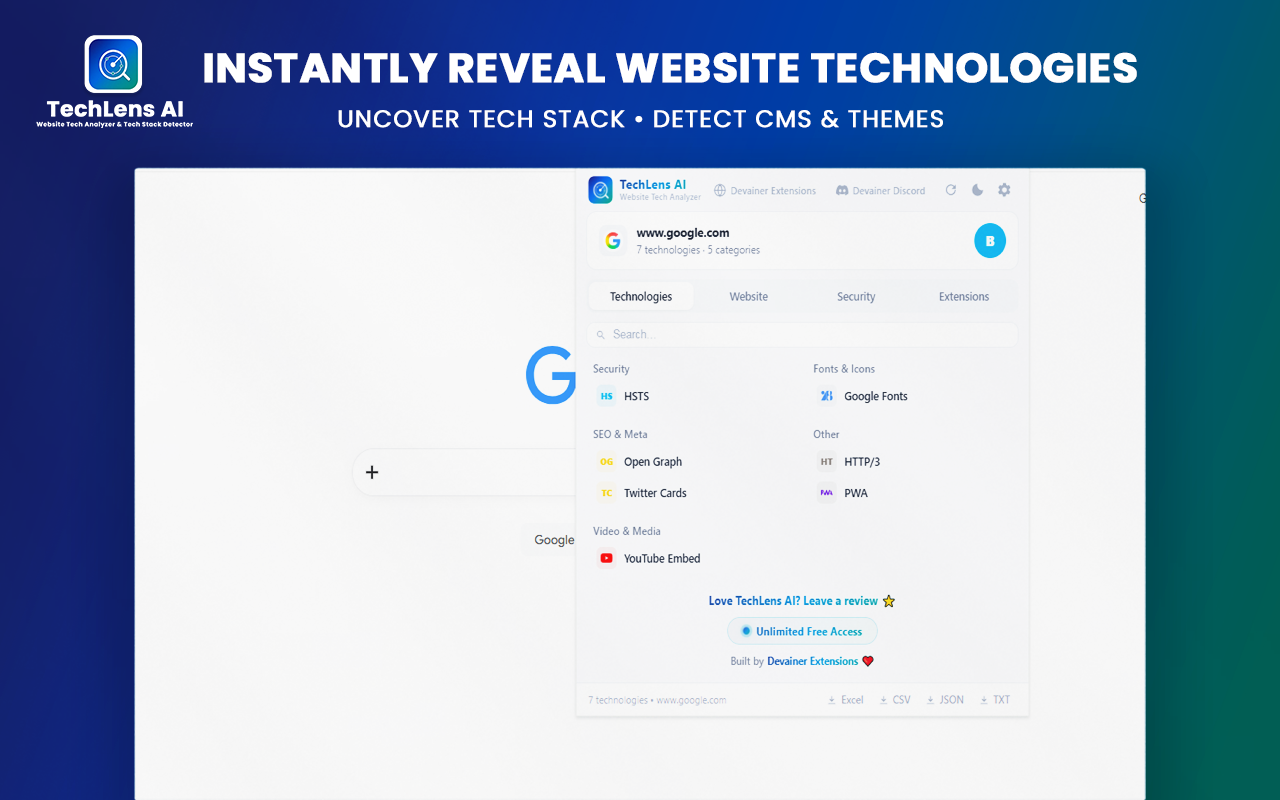
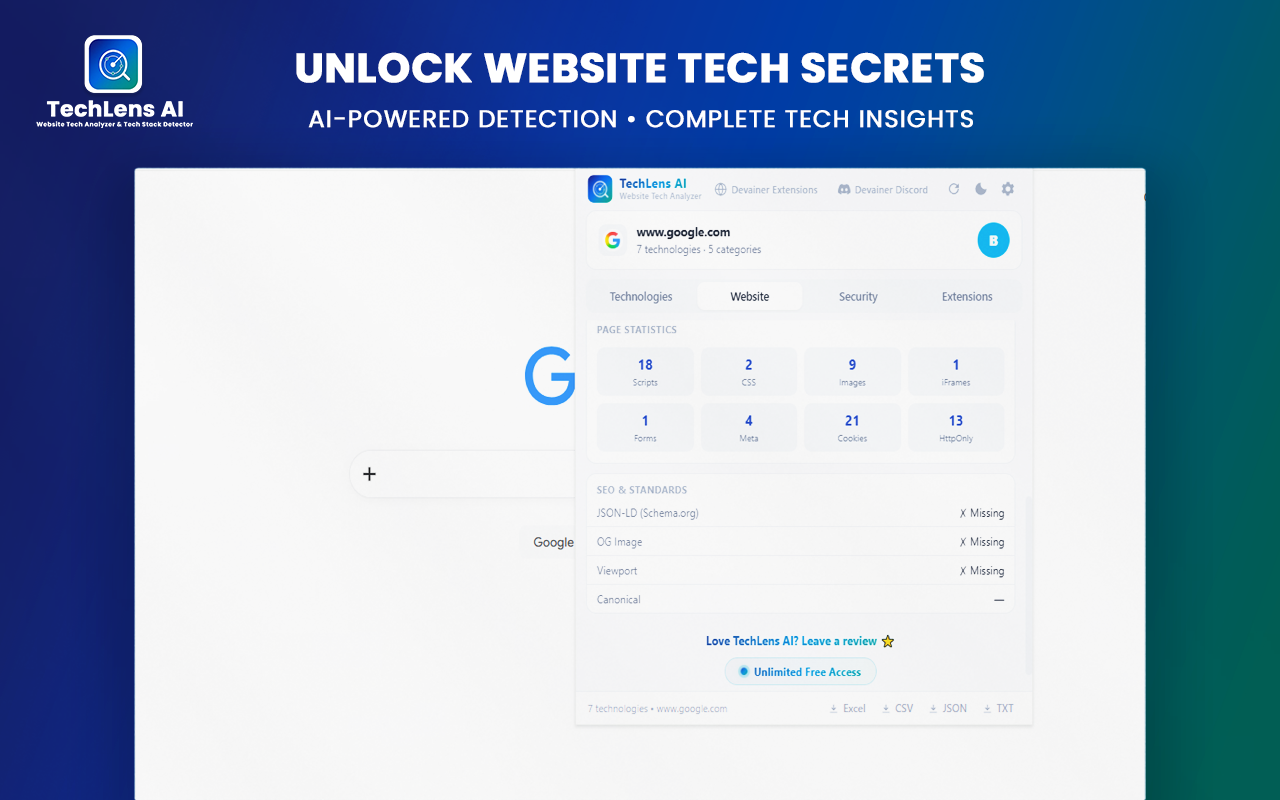
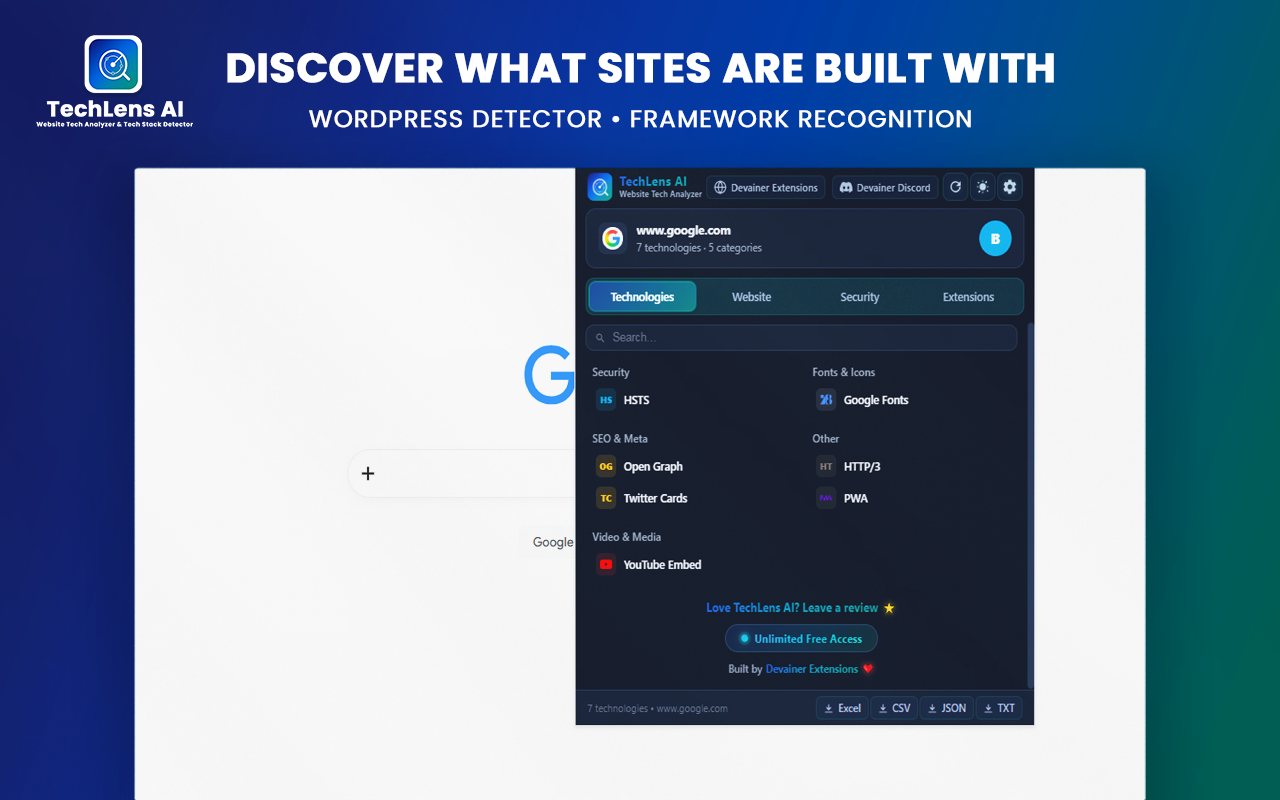
Instant Multi-Category Stack Detection: As you navigate public websites or complex web applications, TechLens AI scans the DOM and window objects locally in the background. It automatically identifies frameworks, CMS platforms, analytics tags, CDN networks, and server configurations across 22 distinct categories without requiring page reloads.
Deep WordPress Architecture Analysis: If you are auditing a WordPress environment, TechLens AI goes far beyond basic CMS identification. It extracts active themes and installed plugins alongside exact version numbers and direct links to official repositories, making competitor profiling and site replication audits effortless.
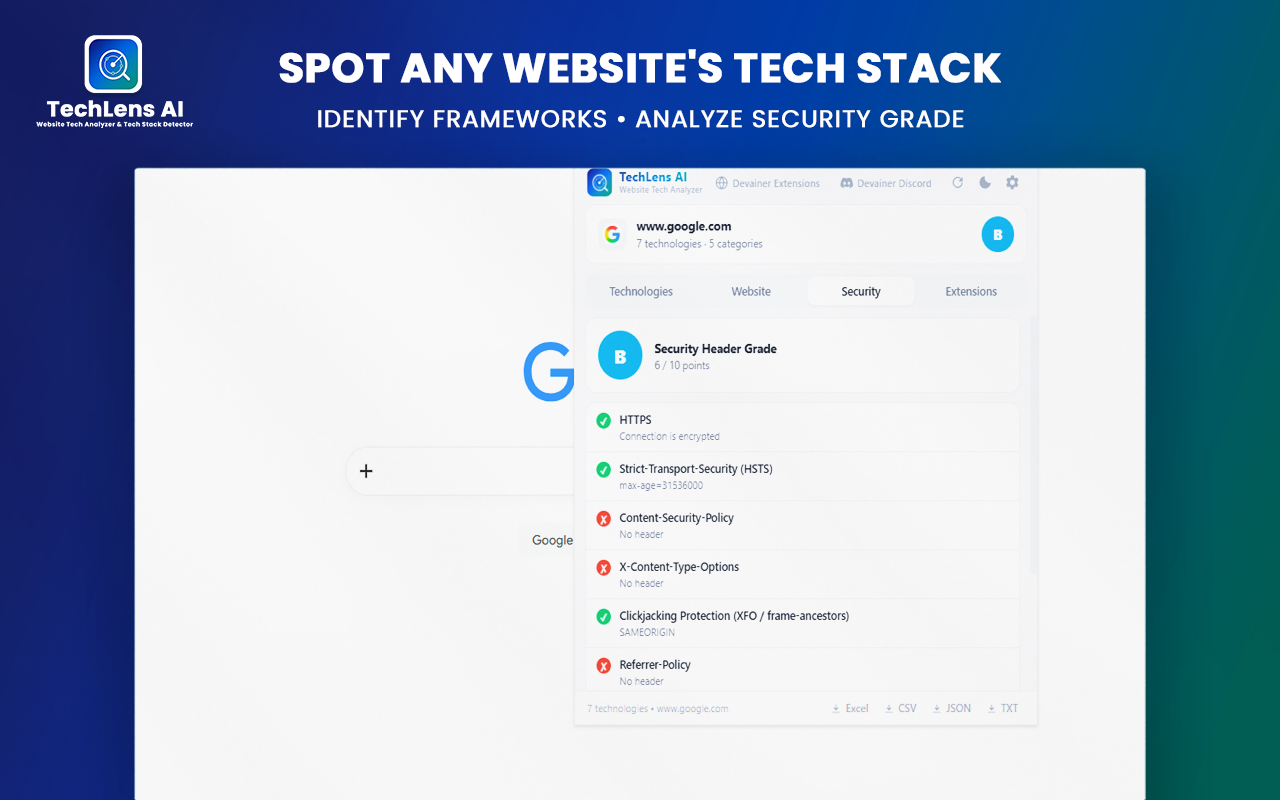
Real-Time Security Header Inspection: Evaluate HTTPS configurations, clickjacking protection, Content Security Policies (CSP), and server version leaks in real time. TechLens AI automatically highlights missing or misconfigured security headers to help web developers patch vulnerabilities immediately.
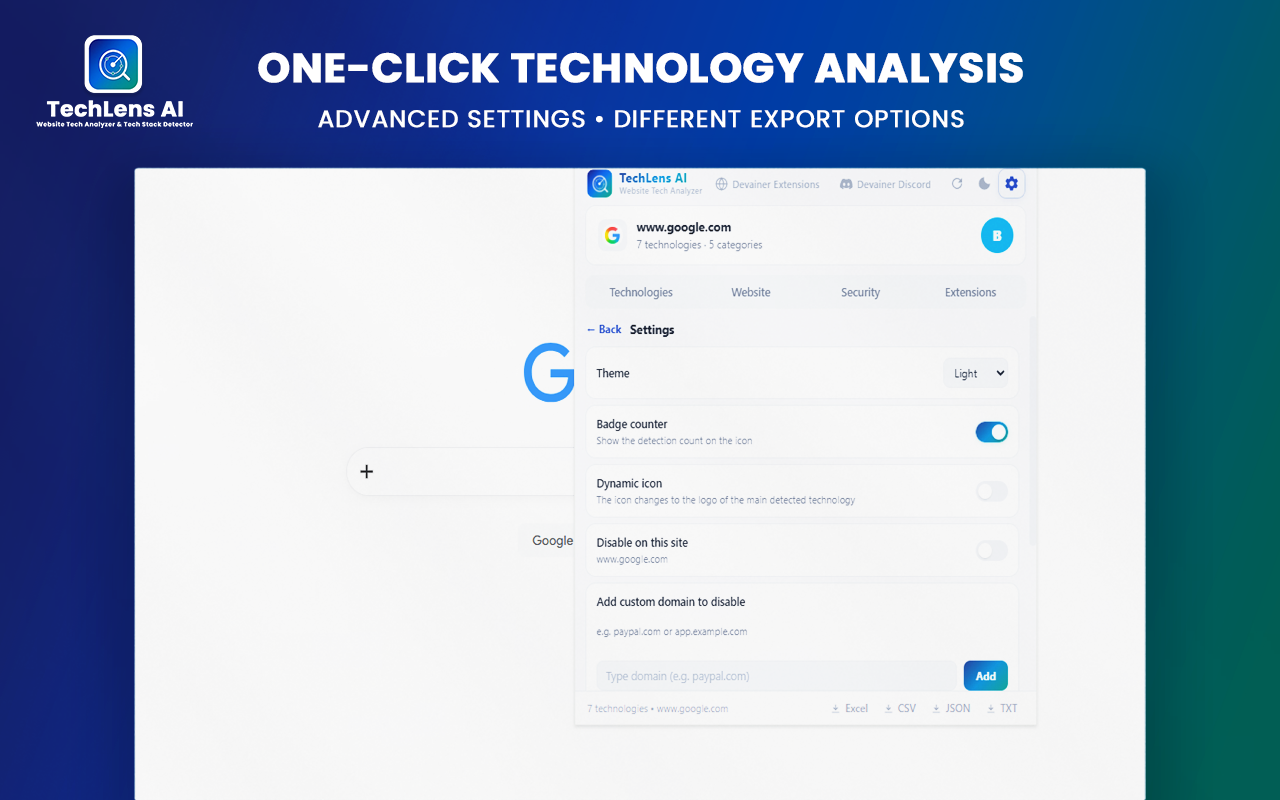
1-Click Multi-Format Data Export: Export complete technology breakdowns, asset metadata, and security logs effortlessly to Excel (XLSX), CSV, JSON, or TXT formats with a single click, allowing instant integration into your CRM systems or client presentation decks.
Step-by-Step: How to Inspect Any Tech Stack in Seconds
Transitioning from manual source code inspection to instant automated stack detection takes less than two minutes. Follow these simple steps to optimize your web research workflow:
Install and Activate: Download TechLens AI from the Chrome Web Store. Once installed, pin the extension icon to your browser toolbar for instant access.
Navigate to Any Web Page: Visit any target URL, landing page, or web application. Click the TechLens AI icon to trigger an immediate, non-intrusive audit of the active tab.
Analyze and Export: Instantly review categorized technologies, active plugins, and security health scores. Click the export button to download the structured report in your preferred format (XLSX, CSV, or JSON).
Conclusion: Supercharge Your Technical Research Workflow
The formula for modern web research is simple: fast data access leads to faster, more accurate decision-making. Continuing to rely on manual right-click source code inspection is a waste of skilled engineering hours. Equipping your browser with TechLens AI gives you instant, absolute clarity on any website’s underlying architecture—privately, safely, and locally.
Ready to Inspect Any Website Tech Stack?
Automate your tech stack research, check security scores, and export clean data in seconds.
Install TechLens AIFrequently Asked Questions
Is TechLens AI safe for analyzing sensitive websites?▼
Yes, absolutely. TechLens AI operates 100% locally inside your browser sandbox. It never sends visited URLs or page content to external servers.
Can I export technology reports to my CRM or reporting tools?▼
Yes. TechLens AI allows you to export complete technology breakdowns, confidence scores, and security reports in Excel, CSV, JSON, or TXT formats.
Does TechLens AI require API keys or technical setup?▼
Not at all. TechLens AI is engineered for zero-config simplicity—the tool works instantly out of the box right after installation.
Why doesn't the extension work on chrome:// pages?▼
Due to Chrome security rules, browser extensions are strictly forbidden from inspecting internal Chrome pages or system settings.
How does the WordPress detection feature work?▼
TechLens AI analyzes script paths, asset structure, and meta tags to pinpoint active themes and installed plugins along with version numbers.
Nabil Wassim
Blog Author
Article Info
2026-08-17
5 min read
Nabil Wassim
Tutorial