
How to Automate TikTok Growth Safely and Build a Viral Audience
2026-06-13
5 min read
Nabil Wassim
Tutorial
Supercharge your TikTok growth pipeline. TokGrow automates your follow queues with advanced list management, live analytics, and customized safety intervals.
Why Manual TikTok Networking is Draining Your Creative Energy
For modern digital creators, growth hackers, and e-commerce brands, expanding your footprint on Tiktok is the fastest ticket to viral visibility. To feed the algorithm and keep your pipeline packed and your tiktok growth with organic traffic, you need to actively network and build a highly relevant follower ecosystem. However, performing this manual community tracking is an absolute nightmare. Spending hours every single day manually scrolling through profiles, hitting the follow button on hundreds of accounts, and trying to keep track of interaction cooling times manually is an inefficient use of your resources.
When you are buried under repetitive micro-tasks and constant manual clicking, you lose the vital energy needed for scripting, filming, and editing top-tier videos. To scale your network effectively without hitting algorithmic barriers, you need an intelligent browser companion that handles the background heavy lifting while you focus strictly on creating high-converting viral content. That is exactly where TokGrow for TikTok – Smart Auto Follow Manager comes into play.
Introducing TokGrow: The Intelligent Native Expansion Tool
TokGrow is a professional-grade browser extension engineered to eliminate the manual grinding from high-volume TikTok growth campaigns. Built around a zero-cloud, 100% privacy-focused local architecture, TokGrow executes all automated sorting operations natively inside your active browser window. This means your private credentials, target queues, and account sessions are never sent to external background servers, ensuring your identity stays fully protected against third-party data leakage.
Instead of deploying risky, server-based cloud bots that immediately get your profile shadowed or permanently banned, TokGrow mimics authentic organic browsing patterns. Here is how its robust core systems empower your everyday outreach pipeline:
1. One-Click Smart Auto Follow
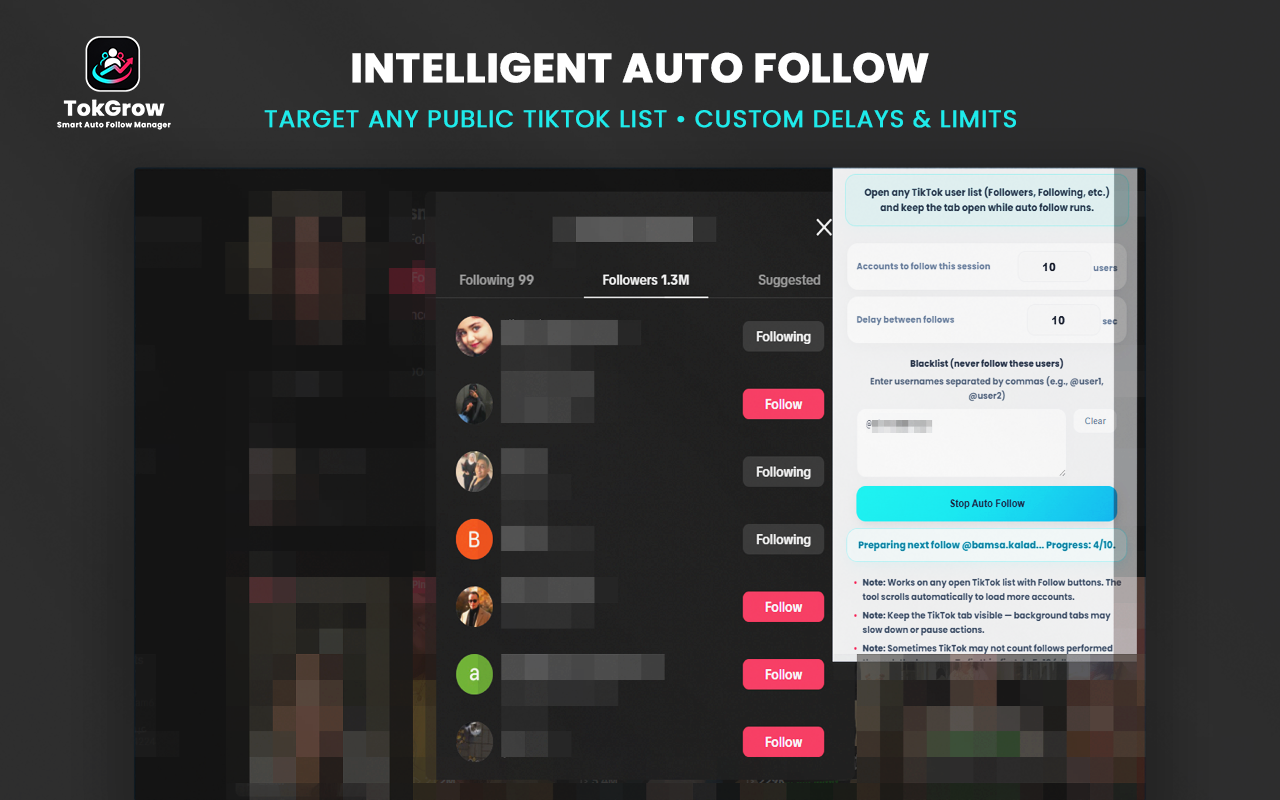
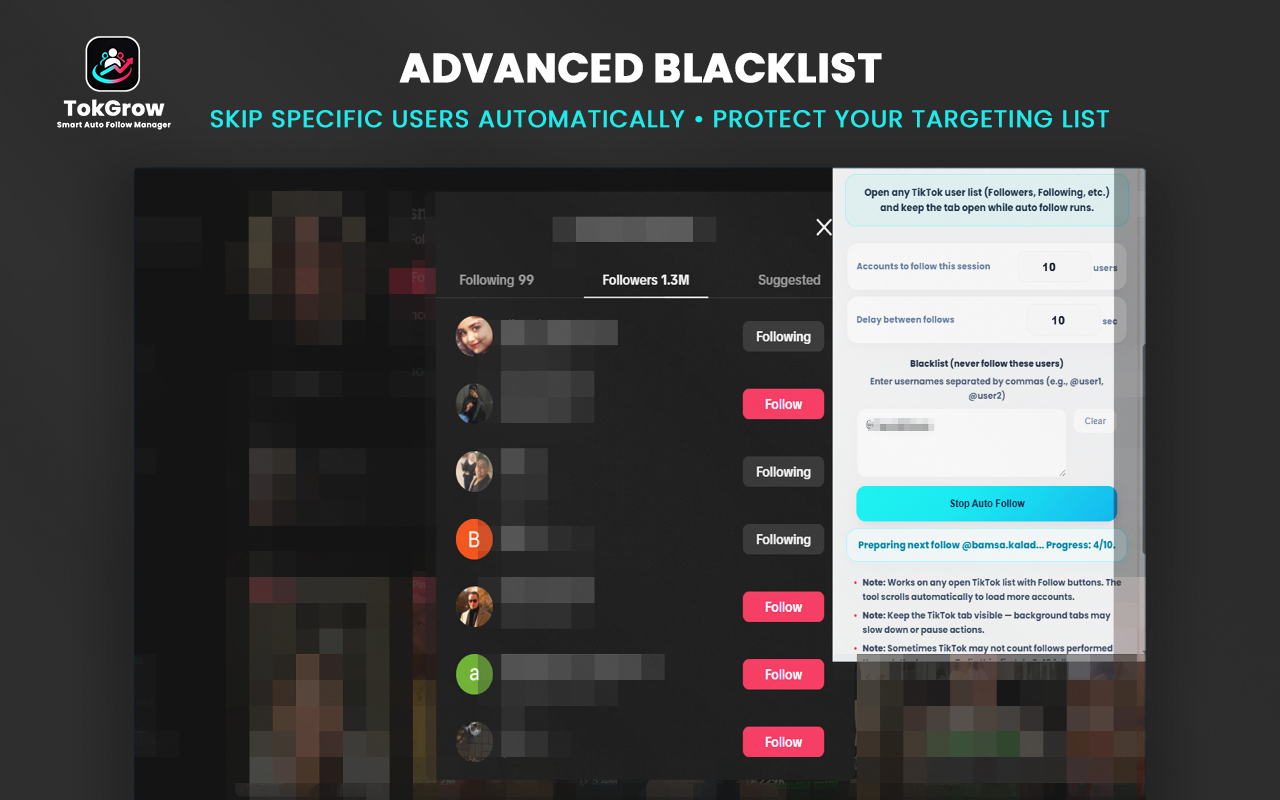
Finding your specific market demographic with TokGrow is simple. You just navigate to any open public user directory on your desktop web layout—including competitor follower lists, hashtag collections, or active search results—and let the extension build a customized follow queue that executes natively on autopilot.
2. Advanced Batch List Management
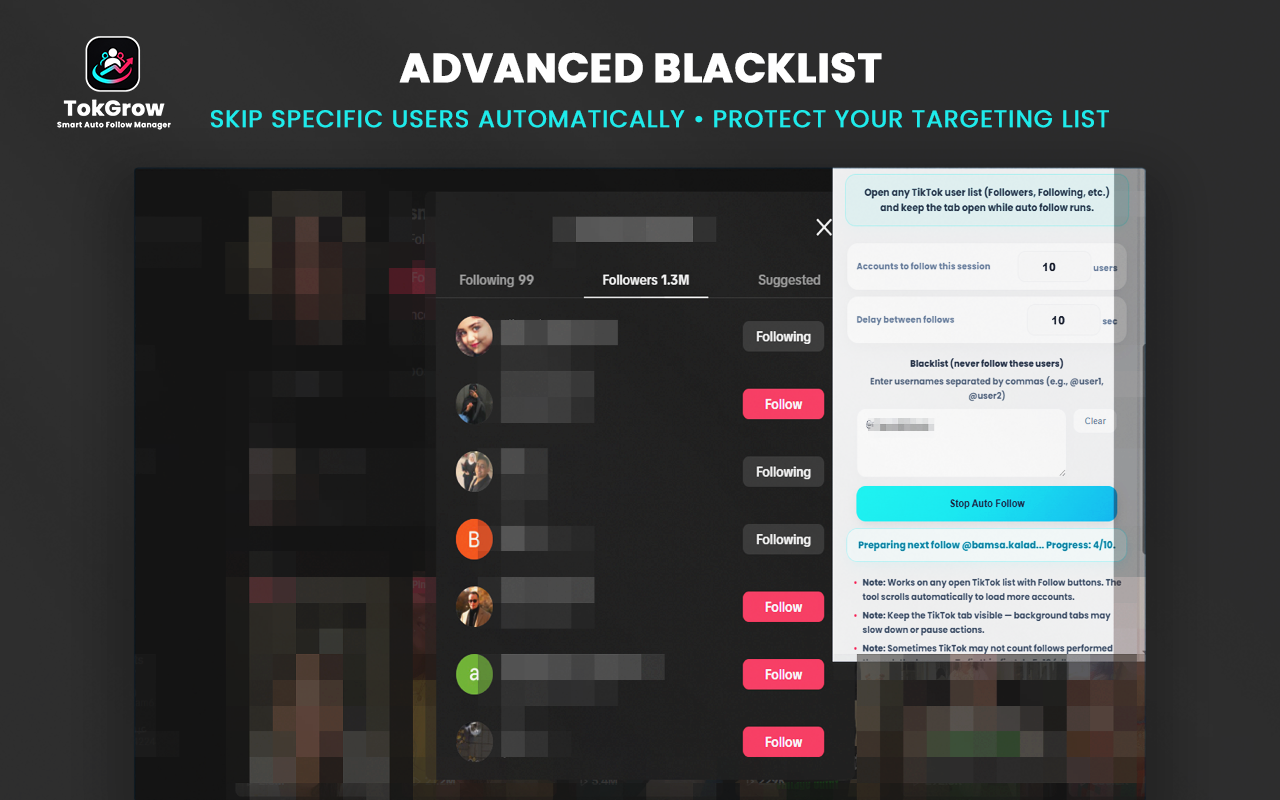
Managing multiple targeting strategies requires solid organization. TokGrow’s Advanced List Management hub allows you to execute mass follow runs smoothly. You can target specific user segments, isolate accounts that match your exact business criteria, and monitor the entire execution flow using clear, live progress trackers.
3. Real-Time Audience Analytics
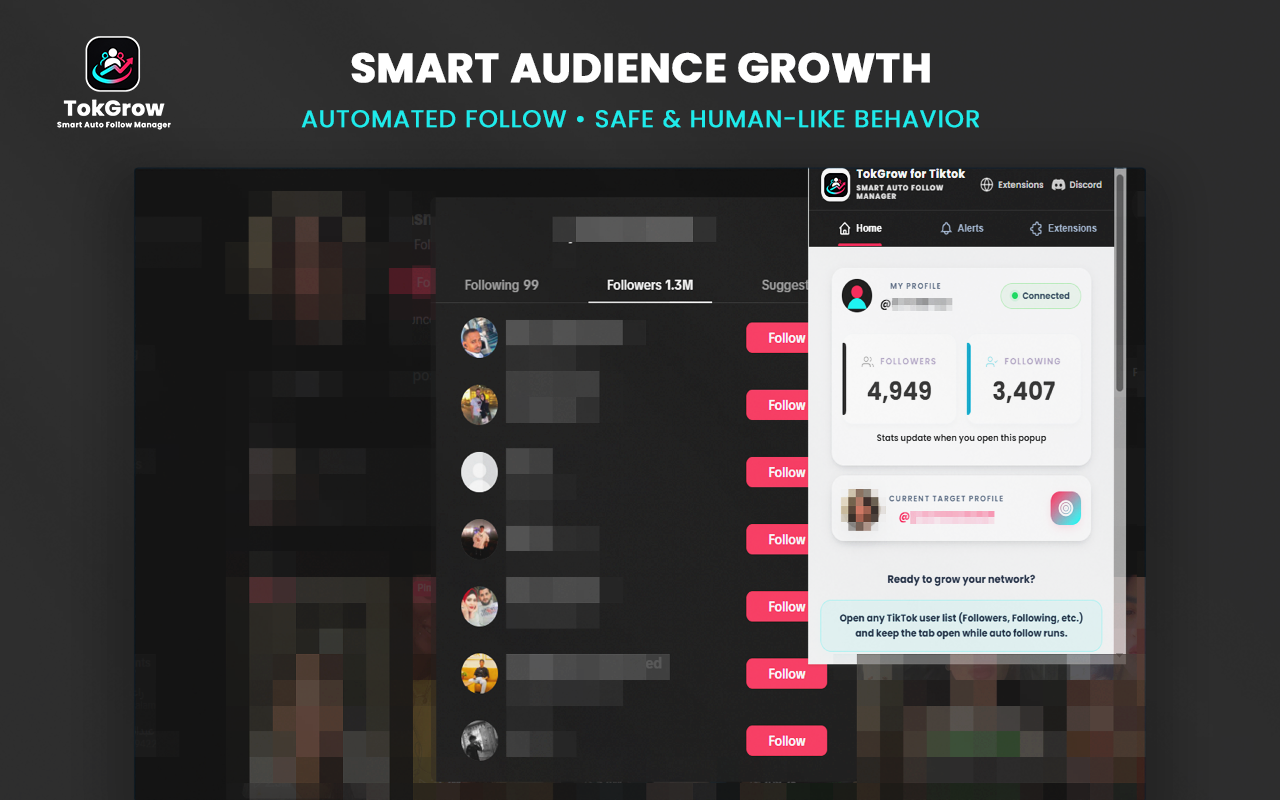
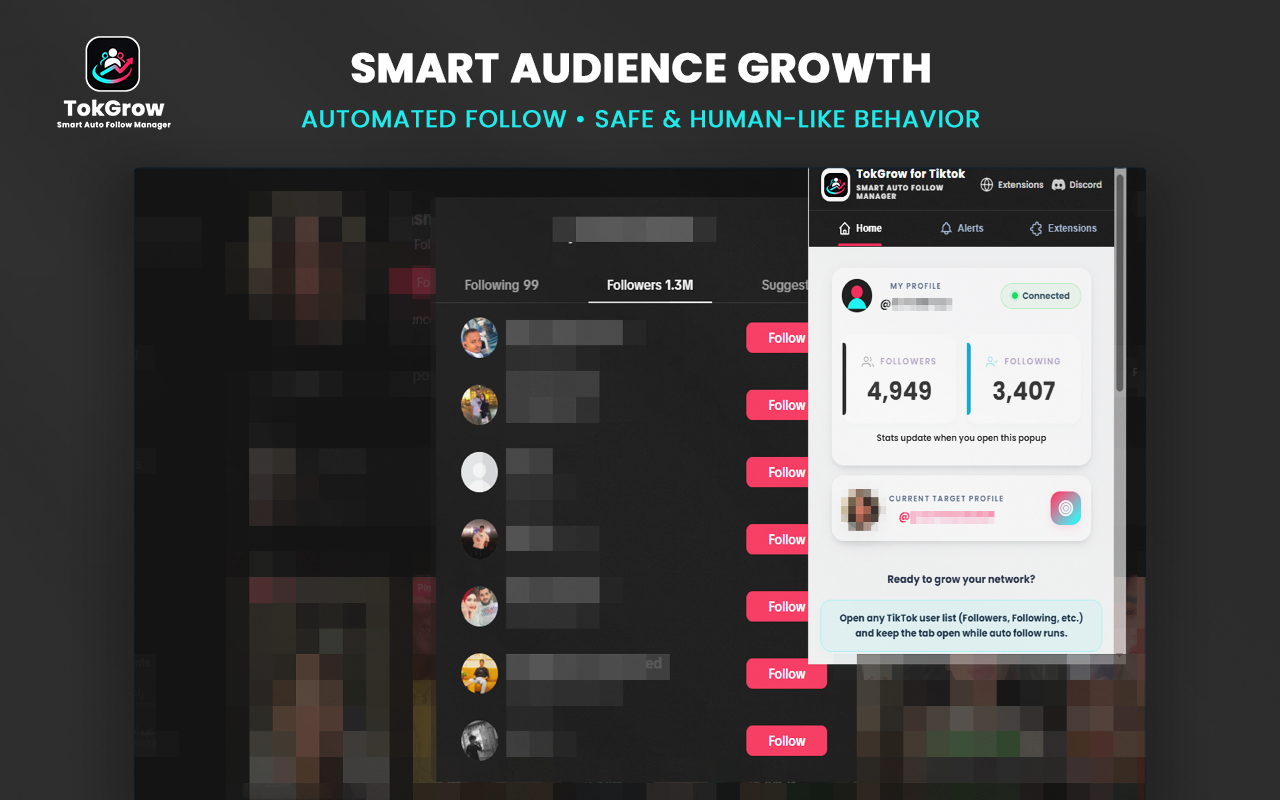
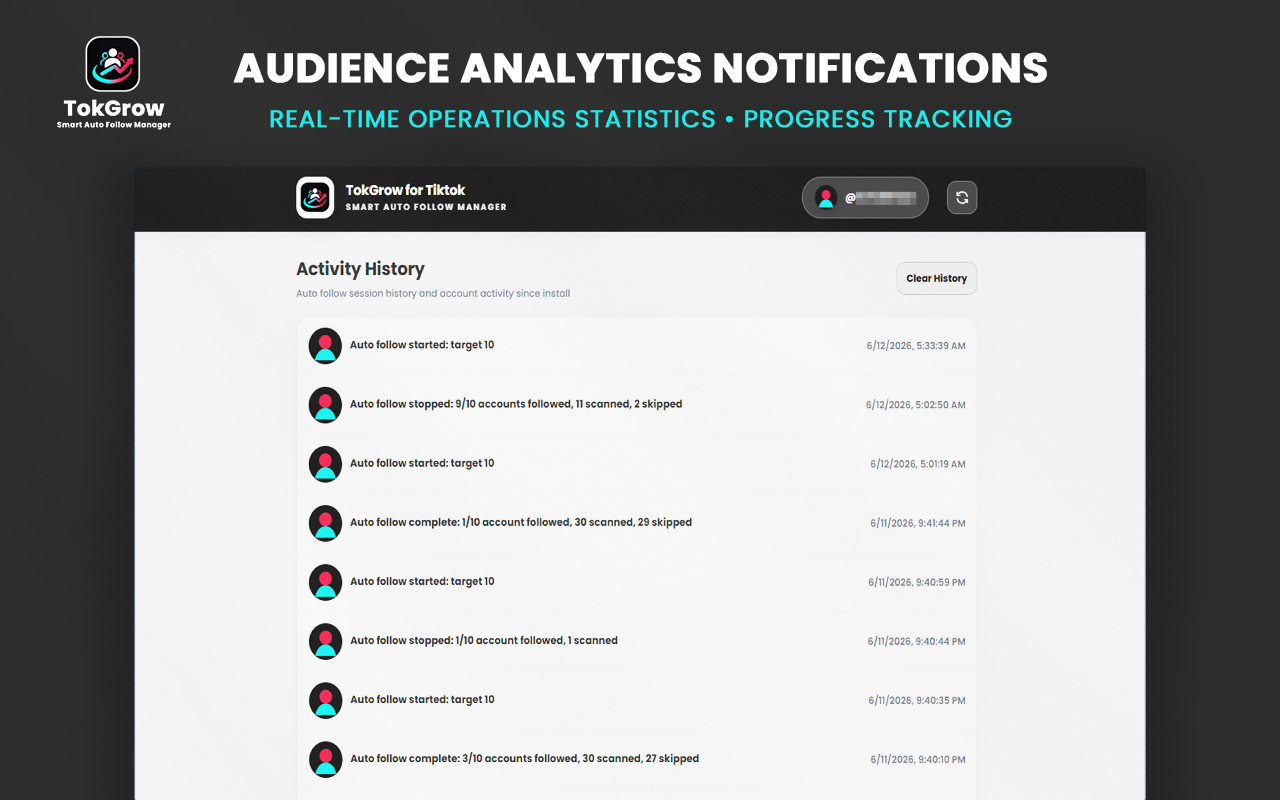
To keep you fully updated on your operational health, TokGrow features a live session dashboard. The tool updates your live follower/following counts instantly and logs successful actions in real time, giving you a clear window into how your profile interacts with your target demographic.
4. Custom Safety Configurations
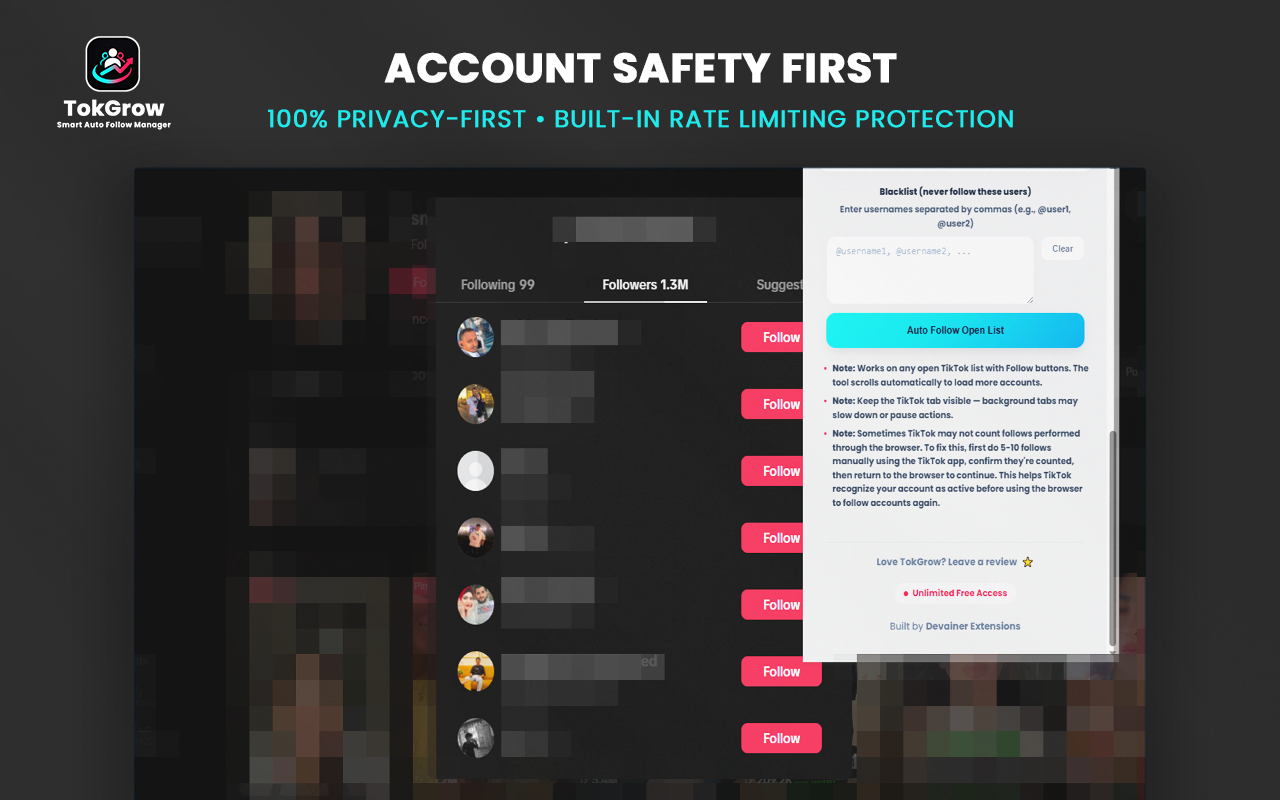
The key to sustainable social media automation is pacing. TokGrow includes custom safety configurations that let you define explicit execution parameters. With customizable delay settings ranging from seconds to hours, the tool introduces random, human-like cooling intervals between actions, completely satisfying official rate-limiting compliance.
Step-by-Step: How to Control Your TikTok Pipeline in Seconds
Transitioning from slow manual tracking to safe, high-speed automated audience cultivation takes less than two minutes. Follow this deployment blueprint:
Step 1: Securely Log In
Download and install TokGrow from the Chrome Web Store. Ensure you are signed into your active TikTok profile via your open desktop browser to establish a secure, session-based connection.
Step 2: Configure Your Target Queue
Navigate to your chosen niche competitor's list, custom search result, or trend hashtag list. Open TokGrow, set your target action count caps, configure your adaptive safety delay intervals, and lock your whitelist settings.
Step 3: Run and Track Progress
Click the start operation toggle. The automated runner will safely process your target queue in the background using natural behavior parameters, while you monitor your real-time success logs directly on your clean dark-mode dashboard.
Conclusion: Dominate Your TikTok Niche on Autopilot
The equation for algorithmic success on TikTok remains clear: consistent content backed by a highly active, targeted network drives exponential visibility. Continuing to manage your follower pipeline using legacy cloud infrastructure or primitive manual methods limits your growth speed and risks your account security.
By deploying TokGrow as your official background growth companion, you gain a powerful, complaint tool that manages networking logistics on autopilot. Stop wasting valuable hours on manual scrolling—install TokGrow today, automate your target follow queues safely, and dominate your TikTok niche with absolute technical confidence.
To keep your profile’s following-to-follower ratio healthy, scalable networking requires strategic account maintenance. Once your automated targeting pipeline is moving, you can easily clean up your feed by learning how to safely unfollow on TikTok to remove non-reciprocal or inactive users automatically.
Ready to Dominate Your TikTok Niche?
Automate your heavy networking logistics, manage your target follow queues safely, and get back to making viral content with TokGrow today.
Install TokGrow NowFrequently Asked Questions
Do I need to keep my TikTok browser tab active while TokGrow runs?▼
Yes. Because TokGrow runs completely locally within your browser to mimic natural human interactions, you need to keep the desktop TikTok tab open in your browser window while an active automation queue is executing.
Is TokGrow really free and unlimited?▼
Yes, absolutely. TokGrow runs locally using your native system resources with zero hidden cloud subscription costs, zero credits to purchase, and no artificial daily data barriers, giving you full operational freedom.
Is my private login data protected with this extension?▼
Completely. TokGrow features a strict zero-cloud architecture. It hooks into your pre-authenticated active web session locally on your machine, meaning it never reads, stores, asks for, or transmits your account passwords.
How do the live progress notifications work?▼
As TokGrow executes your follow queue in the background, it integrates real-time status updates directly into your dark-mode dashboard. It instantly highlights how many profiles have been safely processed, skipped, or successfully followed.
What are the best safety practices when using automation?▼
We highly recommend leveraging TokGrow's custom delay settings to keep intervals natural and human-like. Additionally, always make use of your built-in Whitelist feature to safely skip vital accounts and maintain organic compliance.
Nabil Wassim
Blog Author
Article Info
2026-06-13
5 min read
Nabil Wassim
Tutorial