
How to Manage and Clean Up ChatGPT History with ChatMaster
2026-08-17
5 min read
Nabil Wassim
Tutorial
Organize ChatGPT easily: Bulk delete, archive, or rename chats, display message timestamps, and use smart floating navigation with 100% local privacy.
Managing ChatGPT Conversations: Why Manual Management Fails and How ChatMaster Solves It
1. The Growing Friction of Manual ChatGPT Workspace Management
In modern workflows across software engineering, content creation, digital marketing, and academic research, AI-powered conversational assistants like ChatGPT have become central tools. Daily usage involves generating code snippets, analyzing datasets, brainstorming design strategies, drafting technical documentation, and organizing complex project outlines. However, as reliance on these tools grows, users encounter a subtle yet persistent productivity bottleneck: manage and clean Up ChatGPT history and sidebar clutter and severe disorganization.
Deleting, archiving, or renaming dozens of ChatGPT threads one by one is a tedious and time-consuming process[cite: 1]. As you rely on AI for daily tasks, your sidebar quickly becomes cluttered with hundreds of unnamed or obsolete conversations[cite: 1]. Finding past research prompts or navigating through long, complex threads gets harder by the day because standard ChatGPT interfaces lack precise timestamps and fast navigation shortcuts[cite: 1].
When managing hundreds of active or archived chats manually, the native user interface requires multiple clicks per conversation just to perform basic actions like renaming or deleting. Over weeks and months, this accumulation of unstructured data creates visual noise and cognitive overload. Finding a critical prompt or code implementation from a past session turns into a frustrating trial-and-error search through default titles automatically generated by the AI platform.
This manual history management wastes valuable productivity time[cite: 1]. To keep your AI workspace clean and efficient, you need an automated organization tool that gives you total control over your chat sidebar without compromising account security or privacy[cite: 1].
2. Introducing ChatMaster: The Ultimate ChatGPT Workspace Organizer
To address these navigational bottlenecks and bring structure to cluttered AI environments, power users require a dedicated client-side extension that integrates seamlessly into the native ChatGPT user interface.
ChatMaster is a powerful, privacy-first Chrome extension designed to streamline your ChatGPT sidebar[cite: 1]. It adds advanced workspace tools—including bulk actions, floating jump navigation, precise message timestamps, and bulk renaming rules—directly into chatgpt.com or chat.openai.com[cite: 1].
By extending the native browser DOM interface, ChatMaster bridges the gap between basic chat lists and enterprise-grade workspace organization. It empowers professionals, developers, and researchers to manage thousands of active conversation threads effortlessly without altering the core functionality of OpenAI's platform.
Privacy-First Architecture:
Operating 100% client-side, ChatMaster requires zero external server calls and collects no user data[cite: 1]. Your prompts, conversations, and personal messages stay strictly inside your browser sandbox[cite: 1]. Safe UI automation and rate-throttled execution ensure your account remains safe and compliant with platform usage patterns[cite: 1].
3. Key Features Engineered to Supercharge Your ChatGPT Workflow
ChatMaster introduces a robust suite of tools engineered specifically to eliminate sidebar friction and streamline long-form chat management:
1. Bulk Conversation Actions
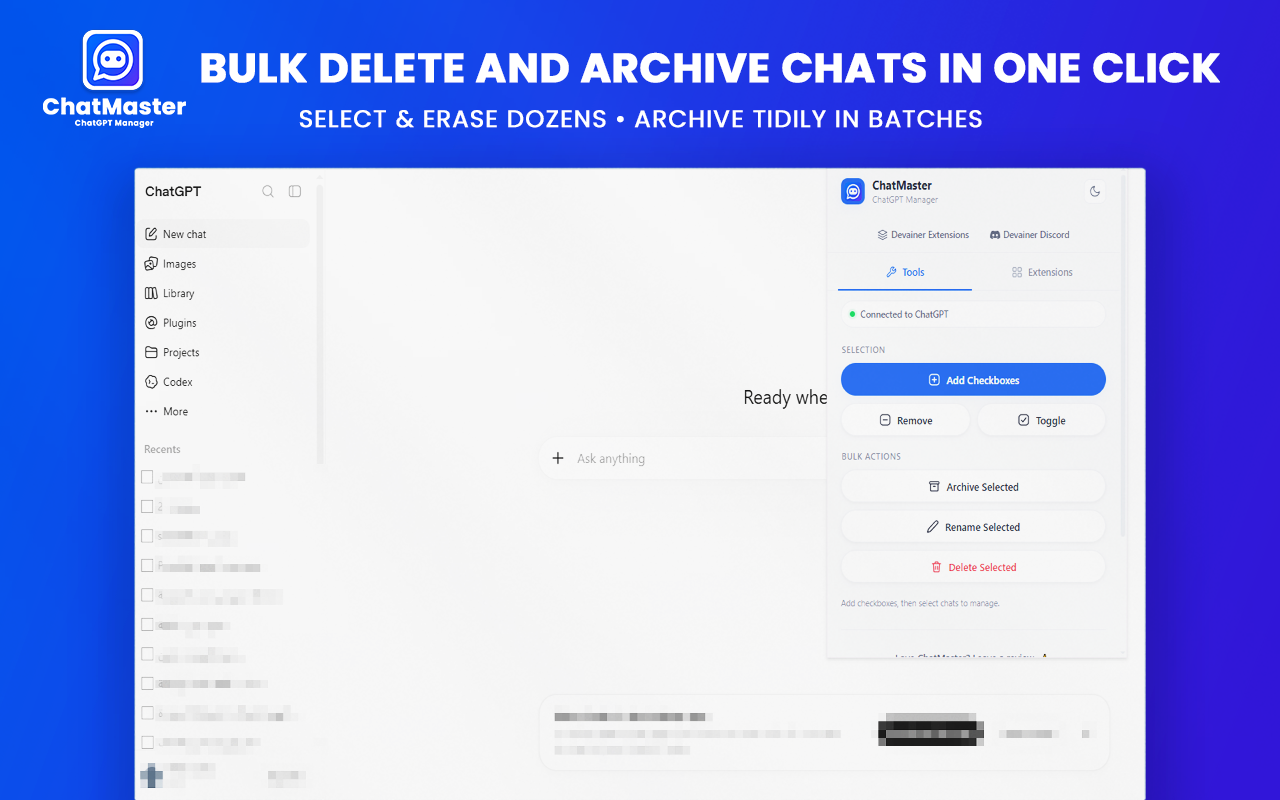
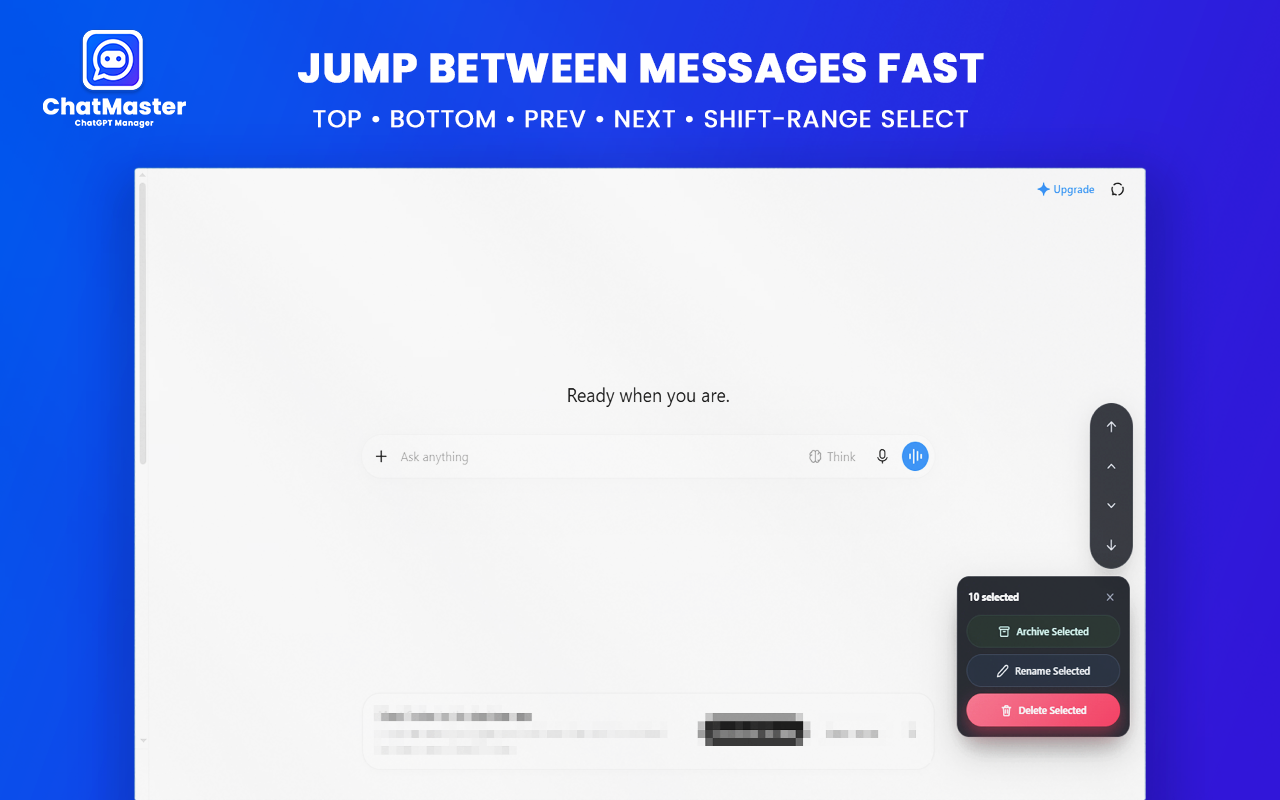
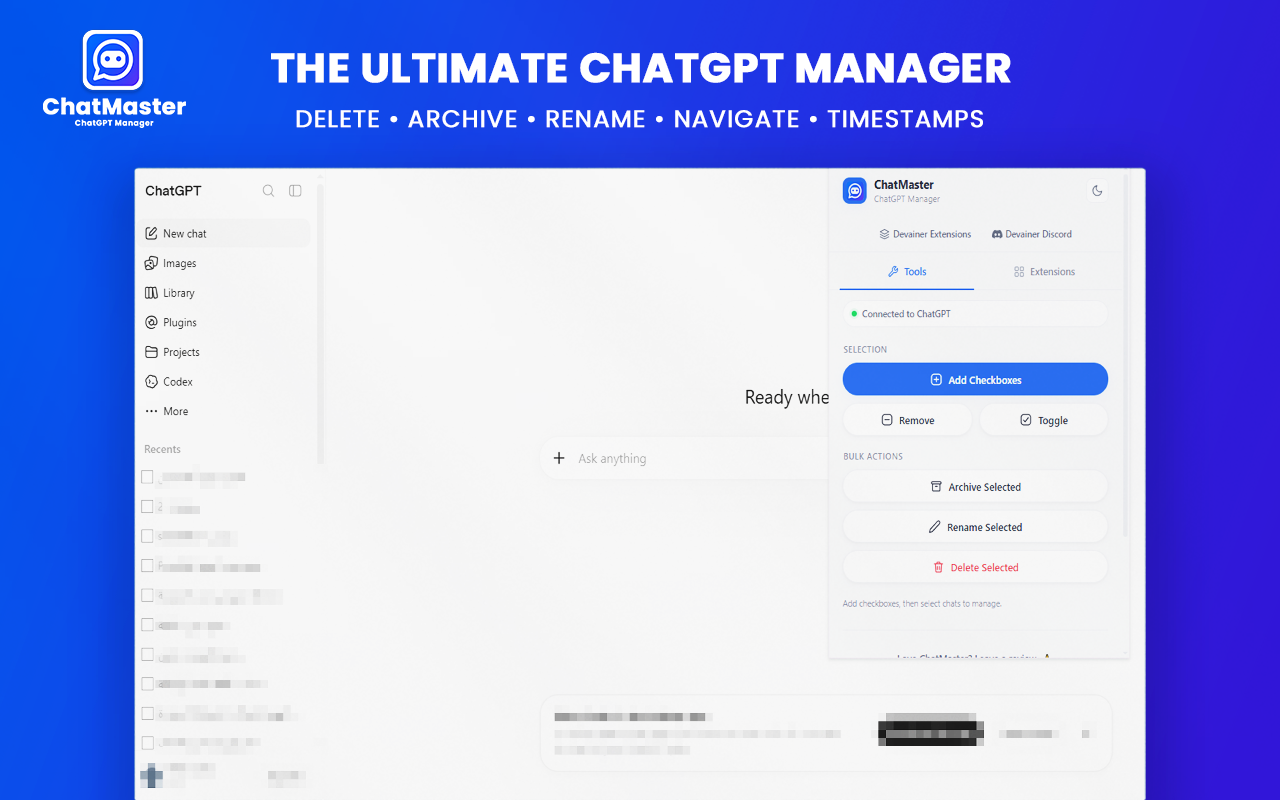
Select multiple chat threads simultaneously using intuitive sidebar checkboxes[cite: 1]. Instead of opening individual dropdown menus and confirming actions repeatedly, ChatMaster allows you to bulk delete, archive, or rename dozens of conversations in a single click[cite: 1]. This feature reduces workspace cleanup operations from hours down to just a few seconds.
2. Advanced Bulk Rename Options
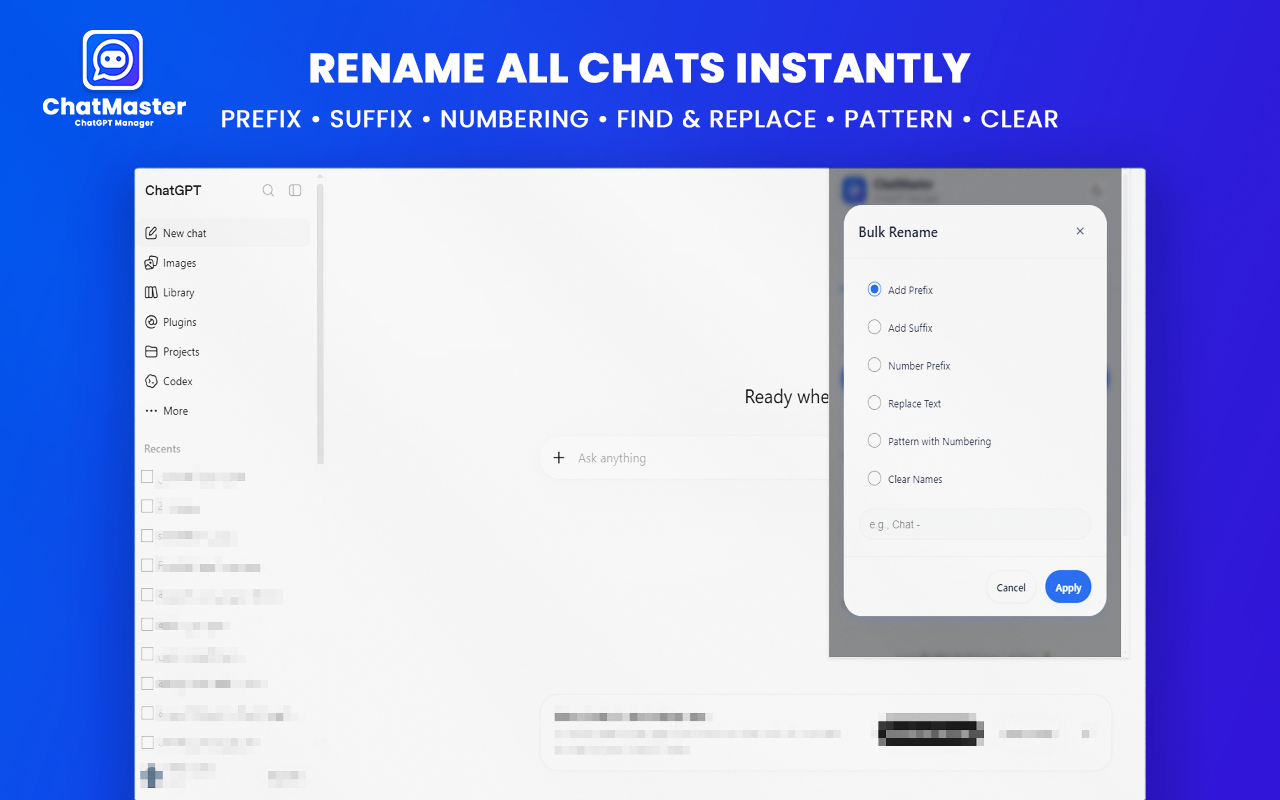
Take complete control of chat titles across your workspace[cite: 1]. Rename multiple conversations at once using flexible title rules: add custom prefixes, suffixes, indexed numbers, or perform instant text replacements to clean up default titles instantly[cite: 1]. Categorizing project threads by client, date, topic, or release build becomes completely automated.
3. Smart Navigator & Floating Panel
Effortlessly navigate long chat threads containing extensive code blocks or multi-page responses[cite: 1]. The integrated floating navigator lets you jump to the top or bottom of any page instantly, smooth-scroll through long responses, and jump between specific prompt sections without endless scrolling[cite: 1].
4. Precise Message Timestamps
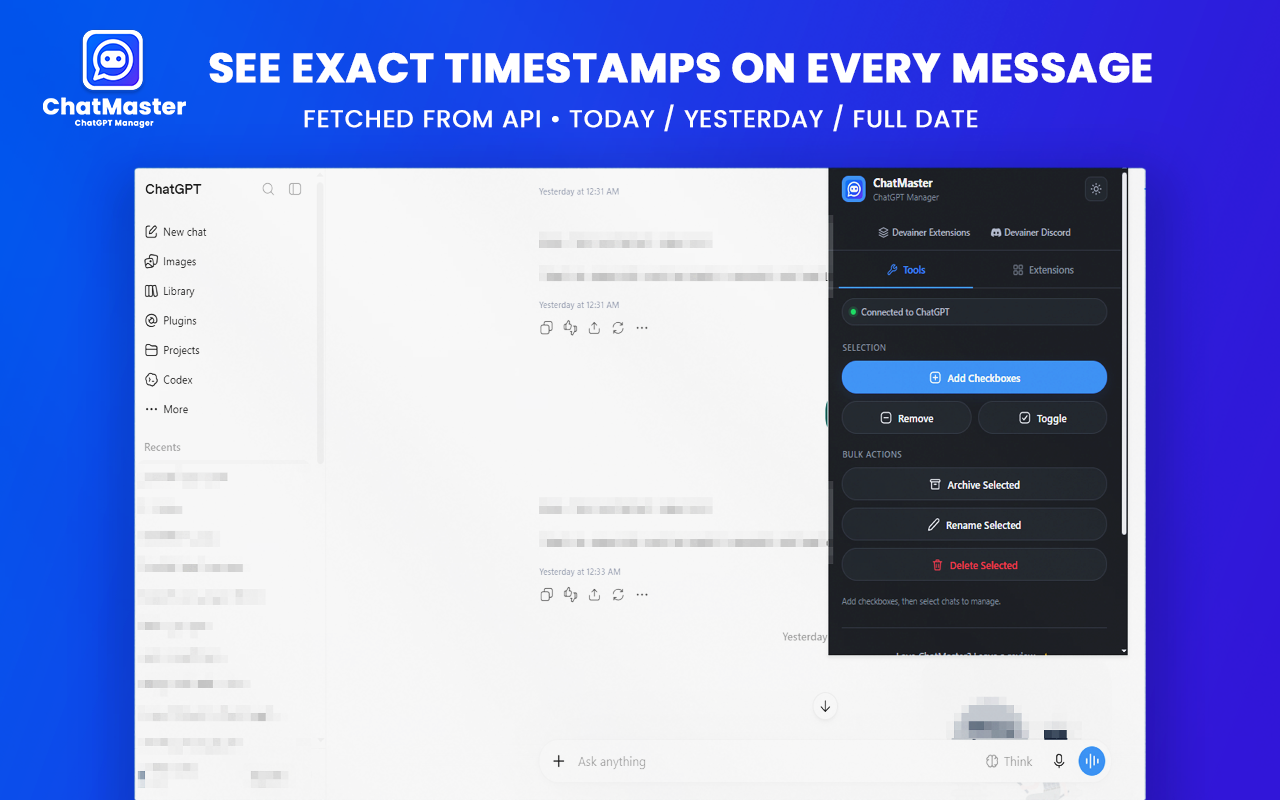
Default ChatGPT layouts omit exact timestamps, making context tracking difficult over extended development cycles[cite: 1]. ChatMaster displays precise timestamps right underneath each message bubble so you always know when a response was generated[cite: 1]. This provides invaluable auditability for code revisions, research timelines, and project histories.
5. 100% Local & Privacy-Focused Execution
ChatMaster runs completely inside your browser[cite: 1]. With zero external server dependencies, safe UI automation, and rate-throttled execution, your account remains safe and private while preventing rate-limit warnings or account security risks[cite: 1].
4. Step-by-Step: Organize ChatGPT in 3 Simple Steps
Start managing your conversations and cleaning up your workspace in less than a minute[cite: 1]:
Step 1: Open ChatGPT
Navigate to
chatgpt.comorchat.openai.comin your Google Chrome browser with your active session logged in[cite: 1].Step 2: Enable Select Checkboxes
Click the ChatMaster toolbar icon to activate multi-select checkboxes directly inside your chat sidebar[cite: 1].
Step 3: Bulk Manage & Organize
Select target chats and click Bulk Delete, Bulk Archive, or Bulk Rename[cite: 1]. Use the floating panel to jump through active threads seamlessly during long research sessions[cite: 1].
5. Conclusion: Take Full Control of Your ChatGPT Sidebar
An organized AI workspace leads directly to faster research, cleaner context management, and higher overall daily productivity[cite: 1]. Stop struggling with cluttered chat histories, lost prompts, and missing temporal context[cite: 1]. Equipping your browser with ChatMaster gives you complete control over your ChatGPT sidebar with bulk actions, timestamps, and smart navigation—safely, privately, and for free[cite: 1].
Ready to Supercharge Your ChatGPT Workspace?
Take full control of your ChatGPT sidebar with bulk actions, timestamps, and smart navigation today.
Install ChatMaster NowFrequently Asked Questions
Is ChatMaster free to use?▼
Yes, ChatMaster is 100% free with no subscriptions or hidden charges.
Does ChatMaster collect or store my ChatGPT chats?▼
No. All operations run 100% locally on your machine. Your conversations never leave your browser.
Can I safely bulk delete or archive many chats at once?▼
Yes. ChatMaster was built with rate throttling between actions to ensure requests stay well within safe limits.
Does it support dark mode?▼
Yes, ChatMaster features both Light and Dark themes that automatically remember your preference.
Will ChatMaster work if ChatGPT changes its UI layout?▼
Yes. ChatMaster is actively maintained, and continuous free automated updates are released via the Chrome Web Store to maintain full compatibility.
Blog Author
Article Info
2026-08-17
5 min read
Nabil Wassim
Tutorial