
How to Validate and Check Bulk WhatsApp Numbers with ValidNum
2026-08-17
5 min read
Nabil Wassim
Tutorial
Validate phone lists, filter by country code, identify WhatsApp Business accounts, and export clean Excel files locally with ValidNum.
Why Unverified WhatsApp Lists Hurt Your Business Outreach and How ValidNum Solves It
1. The Real Cost of Unverified Phone Lists in WhatsApp Marketing
How to Validate and Check Bulk WhatsApp Numbers with ValidNum? In modern digital marketing, B2B lead generation, and direct sales outreach, WhatsApp has emerged as one of the most effective high-conversion communication channels. However, sales teams and growth marketers frequently encounter a costly operational obstacle: dirty, unverified contact lists.
Checking raw phone lists manually on WhatsApp is slow, tedious, and risks account flags. Sending outreach messages blindly to unregistered numbers or dead contact lists wastes sales resources, lowers conversion rates, and risks reaching inactive contacts[cite: 1]. Furthermore, uploading sensitive customer phone lists to third-party cloud tools exposes lead databases to data leaks and privacy violations[cite: 1].
When outreach messages bounce repeatedly or hit inactive numbers on WhatsApp Web, automated system flags can flag your account for suspicious activity. Additionally, exposing customer lead data to unverified online bulk checkers risks violating global privacy regulations like GDPR and CCPA.
To protect your account health and optimize marketing budgets, you need an automated verification system that cleans contact lists safely and locally inside your browser before launching campaigns[cite: 1].
2. Introducing ValidNum: The Ultimate WhatsApp Number Validator
To eliminate campaign risks and streamline contact list hygiene, sales teams require a browser-based, privacy-first verification workflow.
ValidNum - Bulk WhatsApp Number Validator & Checker is a fast, privacy-first browser extension engineered for sales and marketing teams[cite: 1]. It automates bulk number verification through your active WhatsApp Web session, eliminating duplicate entries, detecting business profiles, and filtering contacts by country code[cite: 1].
Unlike legacy web tools that process contact files on external cloud servers, ValidNum operates directly within your local browser sandbox. It connects seamlessly to your active WhatsApp Web instance, ensuring complete data security and total operational autonomy.
100% Local & Privacy-Focused:
Operating 100% client-side with zero external server storage, ValidNum processes your contact lists entirely within your browser sandbox[cite: 1]. Your customer databases, phone numbers, and lead details never leave your device[cite: 1].
3. Key Capabilities Engineered for Sales Outreach
ValidNum provides a comprehensive toolkit engineered specifically to keep WhatsApp outreach accounts safe, highly targeted, and efficient:
1. Bulk WhatsApp Number Verification
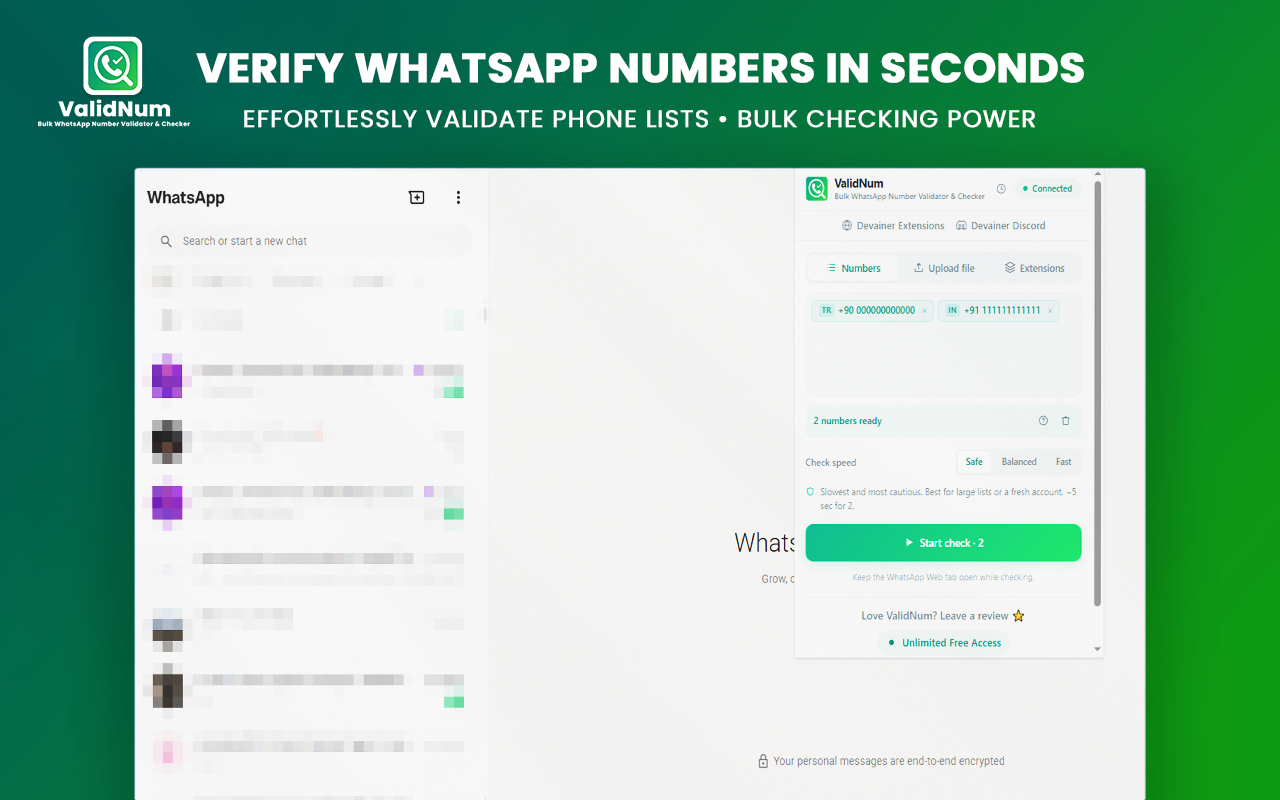
Validate large lists of phone numbers in seconds using your active WhatsApp Web session[cite: 1]. Import raw lists easily via CSV, XLSX, or TXT files, or simply paste numbers directly into the input field[cite: 1].
2. Business Account & Country Filtering
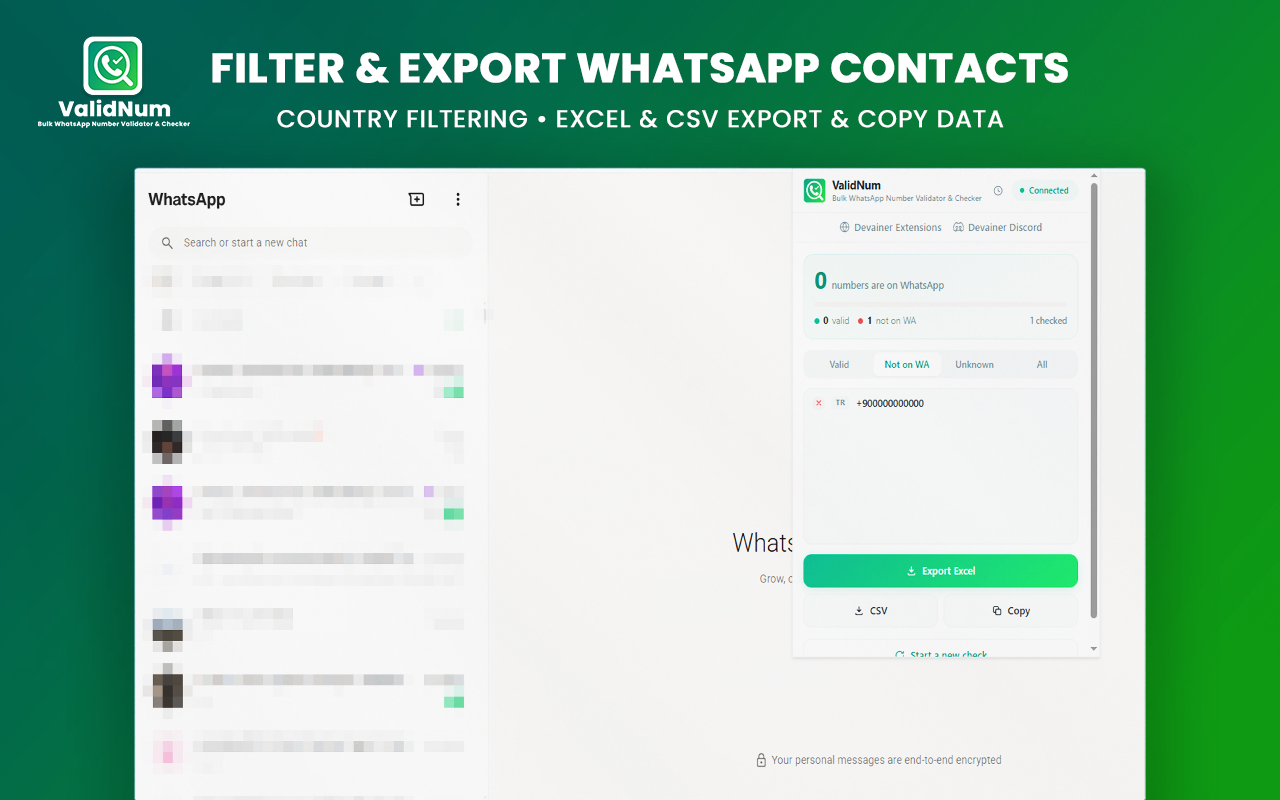
Target professional leads effectively by automatically identifying WhatsApp Business accounts vs personal profiles[cite: 1]. Filter valid results dynamically by country codes and strip duplicates before running checks[cite: 1].
3. Flexible Checking Speed Modes
Choose the checking speed that fits your workflow[cite: 1]:
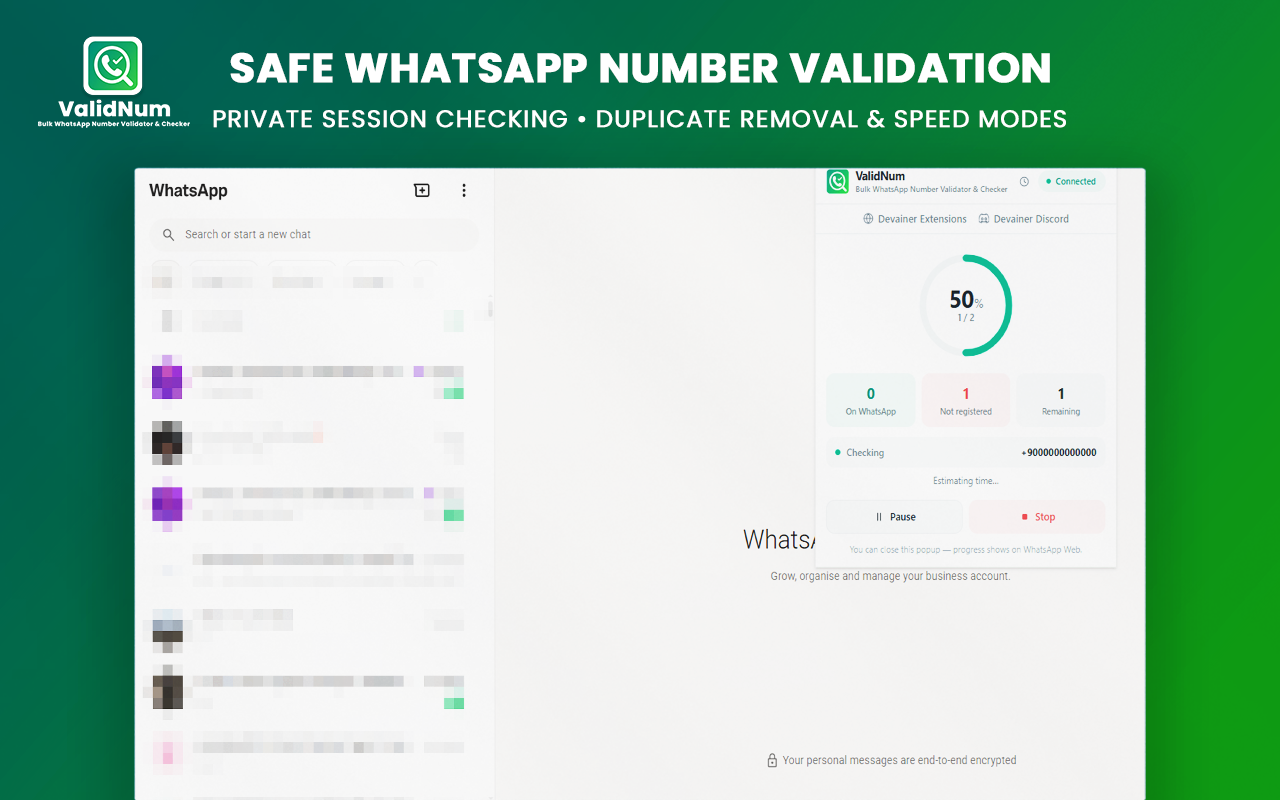
Safe Mode (26/min): Designed for fresh accounts requiring maximum rate-limit protection[cite: 1].
Balanced Mode (60/min): Provides steady validation with human-like execution delays[cite: 1].
Fast Mode (130/min): Engineered for high-speed checks on mature accounts[cite: 1].
4. 1-Click Excel & CSV Data Export
Export verified results—complete with verification statuses, country flags, and business indicators—directly into organized Excel (XLSX) or CSV spreadsheets[cite: 1]. Cleaned data can immediately be ingested into your CRM or marketing automation stack.
5. 100% Local Processing & Account Protection
Your contact data stays strictly on your machine[cite: 1]. Built-in rate controls, safe execution delays, and automatic pause features protect your account from rate-limiting flags[cite: 1].
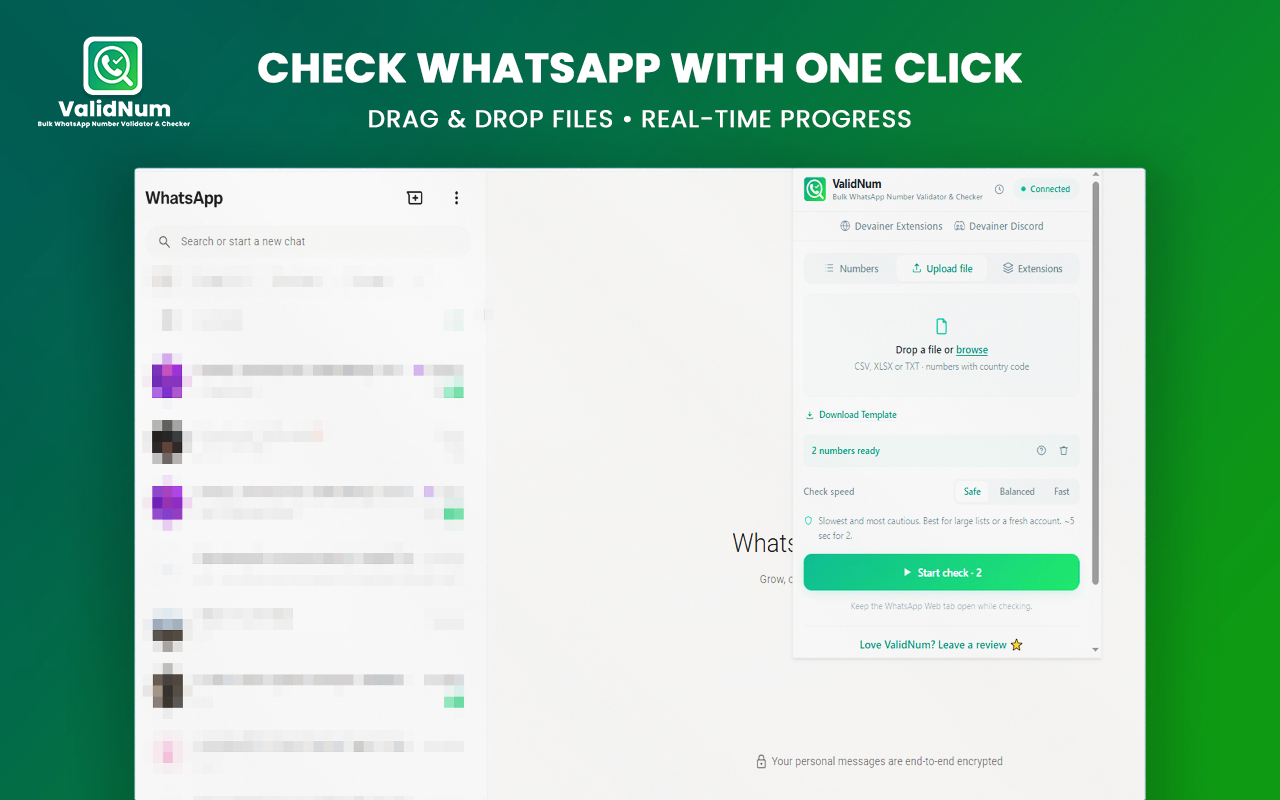
4. Step-by-Step: How to Verify Any Phone List in 3 Simple Steps
Clean your phone lists with zero technical setup[cite: 1]:
Step 1: Upload or Paste Numbers
Drag and drop your CSV/XLSX file or paste raw phone numbers directly into the ValidNum input panel[cite: 1].
Step 2: Select Speed & Start
Choose your preferred checking speed (Safe, Balanced, or Fast) and launch the verification process[cite: 1].
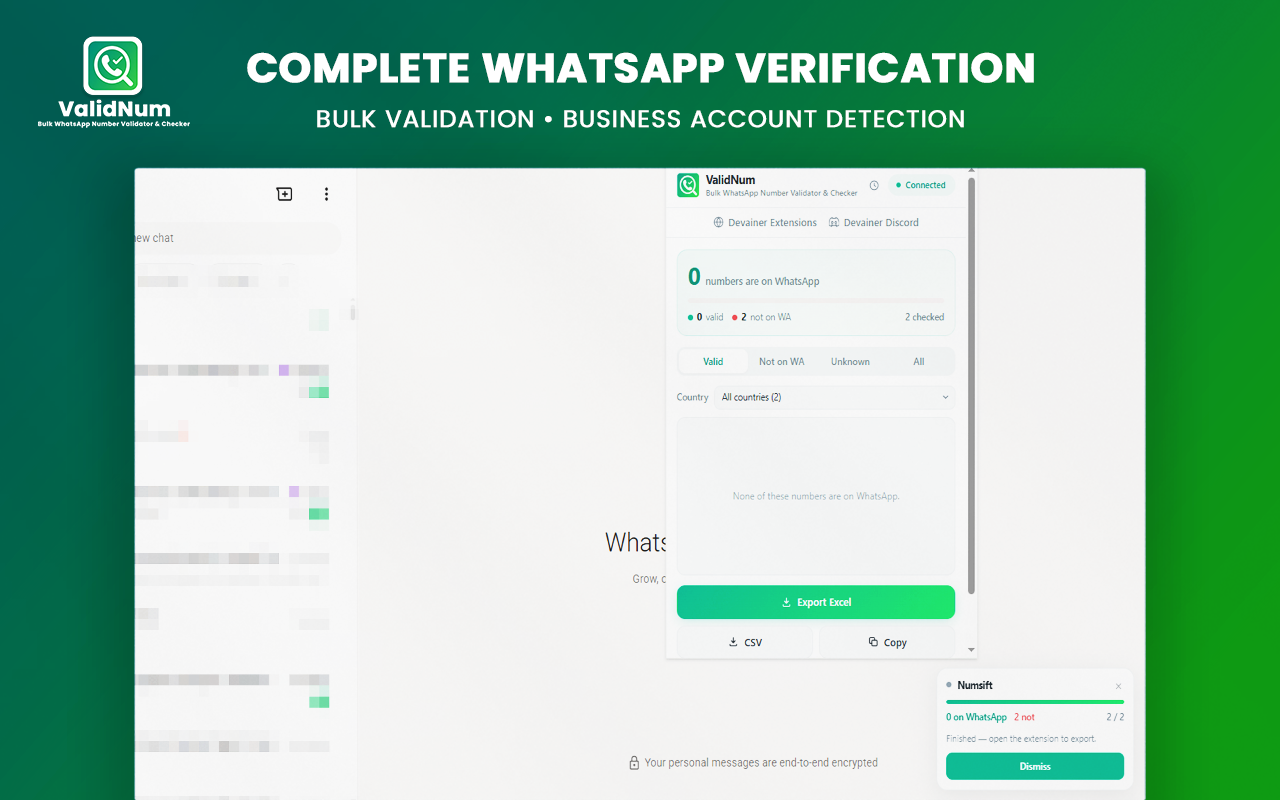
Step 3: Filter & Export
Filter valid WhatsApp numbers by country or business account status and export your clean Excel or CSV file[cite: 1].
5. Conclusion: Clean Phone Lists, Higher Outreach Efficiency
High-performing sales campaigns start with verified contact data[cite: 1]. Stop wasting time on dead numbers or exposing lead lists to external servers[cite: 1]. Equipping your browser with ValidNum gives you a fast, local, and private verification solution—completely free[cite: 1].
Ready to Clean Your WhatsApp Phone Lists?
Automate bulk number verification, filter by country, and export clean Excel lists in seconds.
Install ValidNum NowFrequently Asked Questions
Do I need to send my phone lists to external servers for checking?▼
No. ValidNum runs 100% locally in your browser using your active WhatsApp Web session. Your numbers never leave your device.
Is ValidNum really free and unlimited?▼
Yes, absolutely. There are no hidden fees, credits, or paywalls for checking phone numbers.
Which checking speed mode should I choose?▼
We recommend Balanced mode (60/min) for most lists. Use Safe mode (26/min) for fresh accounts or large lists to maintain maximum safety.
What file formats are supported for import and export?▼
You can upload CSV, XLSX, and TXT files, and export clean results directly to Excel (XLSX) or CSV formats.
Can ValidNum detect WhatsApp Business accounts?▼
Yes. ValidNum automatically identifies whether a valid number belongs to a WhatsApp Business account or a standard profile.
Nabil Wassim
Blog Author
Article Info
2026-08-17
5 min read
Nabil Wassim
Tutorial