

ChatMaster – ChatGPT Bulk Delete, Archive, Rename & Timestamps
Bulk delete & archive ChatGPT chats, rename conversations, add message timestamps and navigate conversations fast. Clean up ChatGPT easily.
100% Free & Unlimited
100% Privacy Focused
No External Servers
60+
Languages Supported
100%
Privacy & Local Processing
0
Data Collected or Tracked
100%
Free Forever
Powerful Features for Power Users
Streamline your ChatGPT workspace with advanced tools designed to save time and organize long chats.
Bulk Conversation Actions
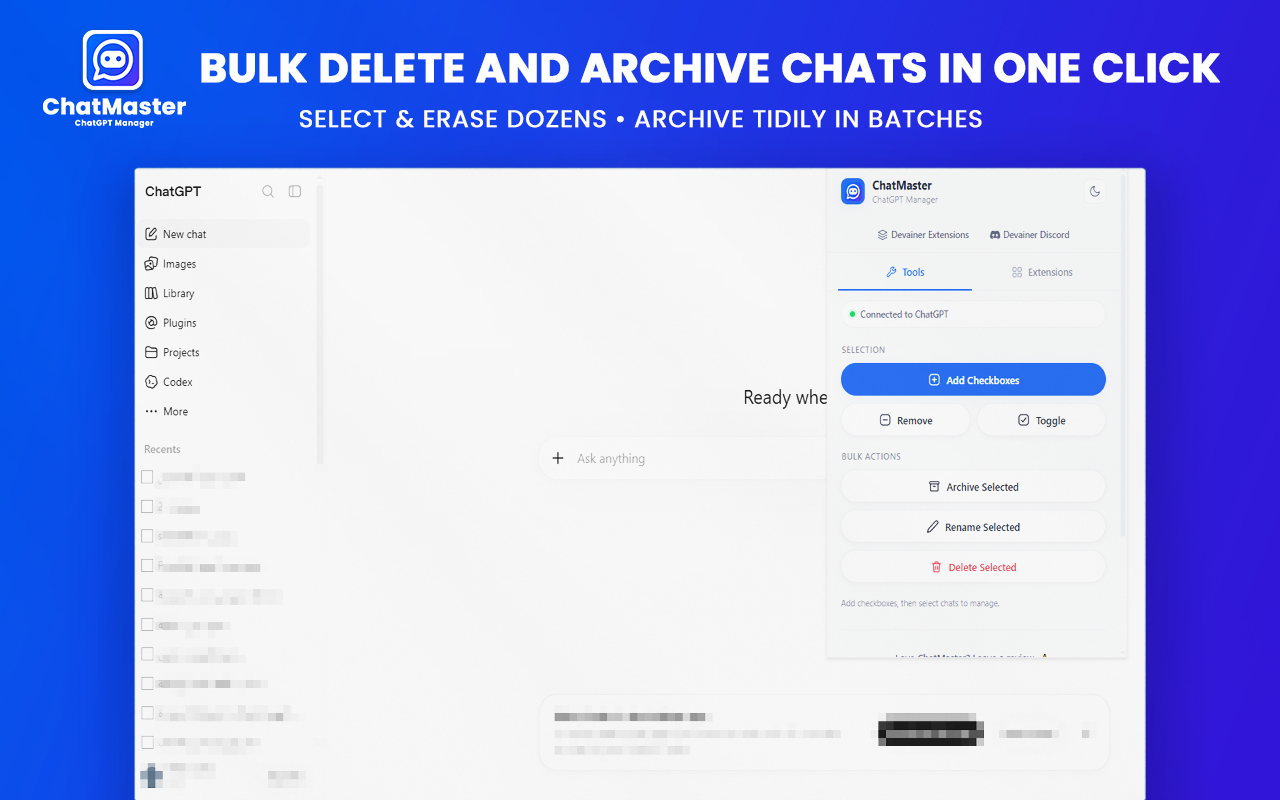
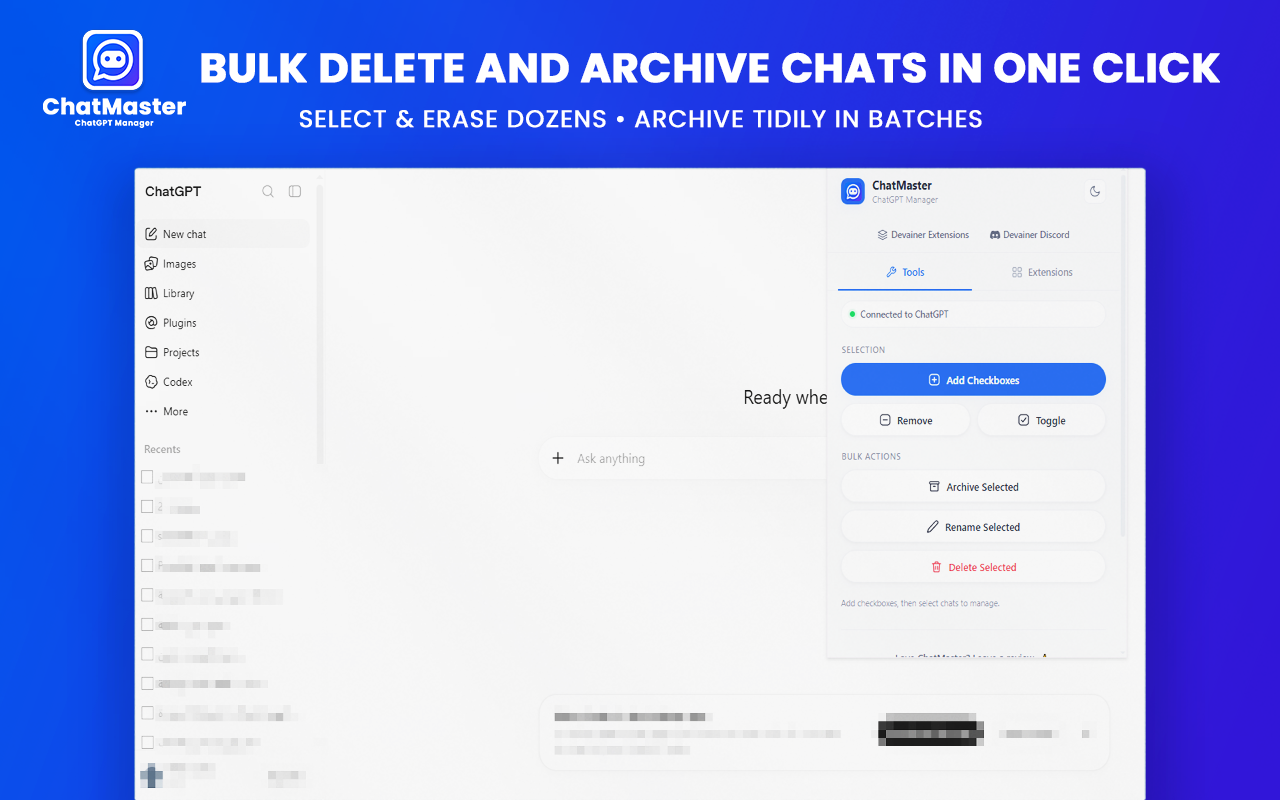
Select multiple chats with checkboxes to bulk delete, bulk archive, or bulk rename in seconds.
Smart Navigator & Floating Panel
Effortlessly jump between messages, navigate to top or bottom, and manage long conversations.
Message Timestamps
See exact times when messages were sent directly beneath each chat bubble.
100% Private & Local
Runs completely inside your browser. No external servers, no tracking, and no data leaks.
Organize ChatGPT in 3 Simple Steps
Start managing your conversations in less than a minute.
1
Open ChatGPT
Navigate to chatgpt.com or chat.openai.com in your Google Chrome browser.
2
Enable Select Checkboxes
Click the ChatMaster toolbar icon and enable multi-select checkboxes on your sidebar.
3
Bulk Manage & Organize
Select target chats and click Bulk Delete, Bulk Archive, or Bulk Rename.
Clean & Modern Interface
Designed to integrate seamlessly into ChatGPT without cluttering your workflow.
The Problem & The ChatMaster Solution
Managing dozens of ChatGPT threads manually is slow and frustrating. ChatMaster automates workspace organization.
The Problem
- Deleting, archiving, or renaming dozens of ChatGPT threads one by one is tedious and time-consuming.
- Long ChatGPT conversations make it hard to locate specific prompt responses or navigate quickly.
- Default chat sidebars lack exact message timestamps, making it difficult to track session history.
The Tool Solution
- Select multiple chats with intuitive checkboxes to bulk delete, archive, or rename in a single click.
- Use the smart floating Navigator to instantly jump through messages and reach the top or bottom.
- Display precise message timestamps right under each chat bubble with zero server data exposure.
Advanced Bulk Rename Options
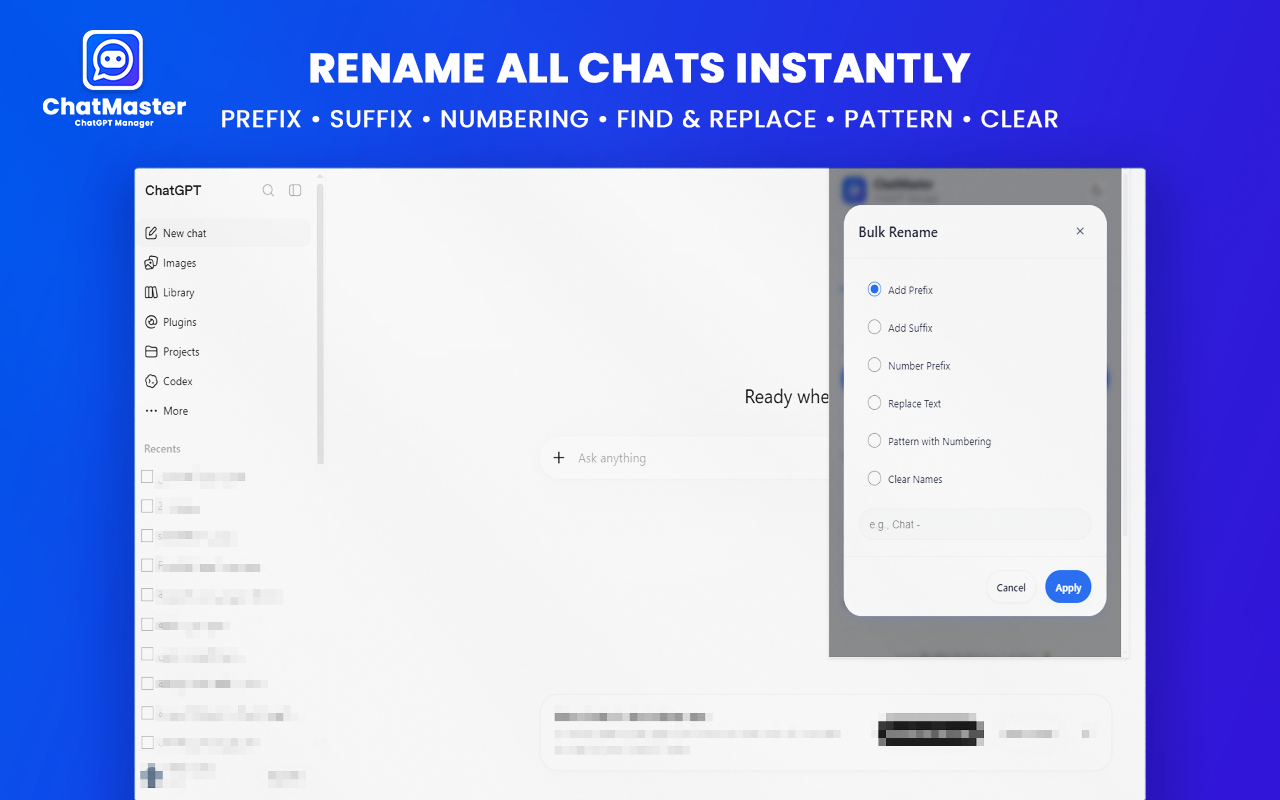
Rename multiple conversations at once using flexible rules: add prefixes, suffixes, numbered indexes, text replacements, or clean up default titles instantly.
- Prefix, Suffix & Indexing Rules
- Find and Replace Specific Text
- Automated Safe Throttling
Your Privacy Is Our Top Priority
ChatMaster operates entirely client-side on your device. We never inspect, send, or store your prompts or messages.
Zero External Servers
All processing happens locally in your browser. No remote API calls for user data.
No Tracking or Analytics
We do not collect personal identifiers, usage stats, or private conversation details.
Safe UI Automation
Simulates native UI actions with controlled rate limiting to keep your ChatGPT account completely safe.
Why Choose ChatMaster?
See how ChatMaster stacks up against standard ChatGPT sidebar management.
Frequently Asked Questions
Everything you need to know about ChatMaster.
Ready to Supercharge Your ChatGPT Workspace?
Take full control of your ChatGPT sidebar with bulk actions, timestamps, and smart navigation today.
Explore More Extensions
Explore more powerful extensions to supercharge your browser.