TechLens AI - Website Technology Analyzer & Tech Stack Detector
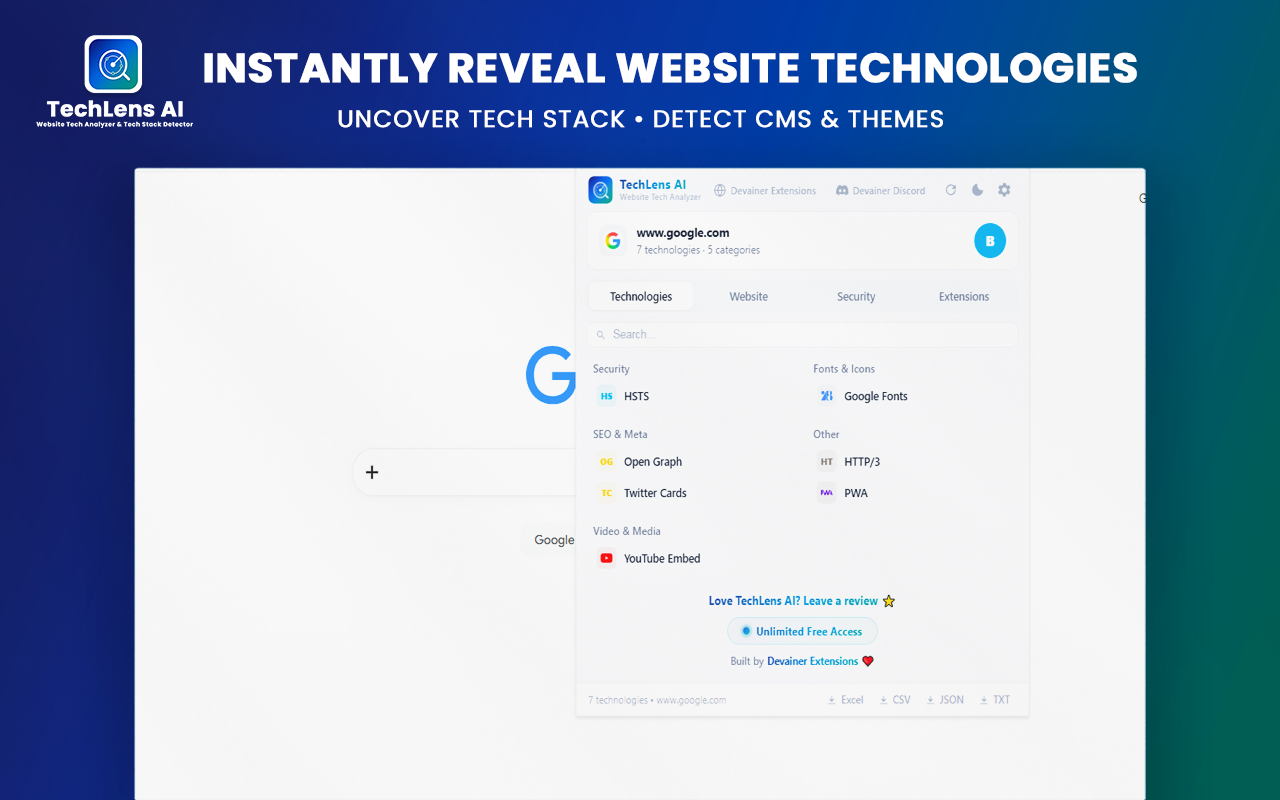
TechLens AI instantly reveals what any website runs on: CMS, WordPress themes & plugins, JS frameworks, analytics, CDN, hosting, plus security grade & Excel/CSV/JSON/TXT export.
100%
Client-Side Privacy
22
Tech Categories
0
External Data Leakage
1-Click
CSV/Excel/JSON/TXT Export
Free & UnlimitedPrivacy-First (Local)Chrome Web Store Compliant
Stop Inspecting Source Code Manually
Manual developer tools waste time. TechLens AI automates technology detection and security audits in a single click.
Before
- Digging through HTML source code to guess JavaScript frameworks
- Manually identifying active WordPress plugins and themes
- No overview of active security headers or server leaks
After
- Instant 1-click detection across 22 technology categories
- Deep WordPress plugin/theme audit with direct links
- Comprehensive security grade and TLS configuration check
Engineered for Modern Web Professionals
All the tools you need to analyze tech stacks and evaluate website security.
Instant Tech Stack Detection
Detect CMS, JS frameworks, UI libraries, analytics, CDN, and hosting instantly across 22 categories.
Deep WordPress Analysis
Identify active themes and installed plugins with version numbers and direct links to wordpress.org.
Security & Header AuditSecurity & Header Audit
Evaluate security grades, HTTPS encryption, clickjacking protection, and server header leaks.
1-Click Data Export
Export full technology breakdown and metadata to Excel, CSV, JSON or TXT formats seamlessly.
Analyze Any Tech Stack in 3 Steps
Inspect technologies and security status with zero technical complexity.
1
Install Extension
Add TechLens AI to your Google Chrome browser from the Chrome Web Store.
2
Visit Any Page
Navigate to any website or web application you want to inspect.
3
1-Click Audit
Click the extension icon to view tech stack, security grade, or export the data.
Your Sourced Data Stays Yours Only
TechLens AI operates strictly locally within your browser to secure your account integrity and respect privacy.
100% Local Processing
Your data stays local. There are no external backend servers collecting, parsing, or storing your personal info.
Zero Data Harvesting
We do not collect, sell, or monitor your visited URLs, browsing history, or analysis logs.
Invisible Execution
Analysis runs locally on your active tab, making it completely private and fast.
Why Choose TechLens AI over Old Tools?
A stark look at local privacy-first detection versus complex, laggy alternatives.
Frequently Asked Questions
Everything you need to know about TechLens AI.
Ready to Inspect Any Website Tech Stack?
Automate your tech stack research, check security scores, and export clean data in seconds.
Explore More Extensions
Explore more powerful extensions to supercharge your browser